基础知识
JavaScript 逆向基础
前言
目前大量的测试的站点当中发现很大部分使用了加密,刚好a1佬也给讲了这一部分 于是做一做encrypt-labs靶场,加强学习一下,不涉及混淆以及jsrpc部分
靶场:https://github.com/SwagXz/encrypt-labs
butt3rf1y姐姐的wp:(。・ω・。)泥嚎
还学习了靶场师傅推荐的文章就不引用了,可以去上面GitHub链接查看。
js逆向
AES 固定 key
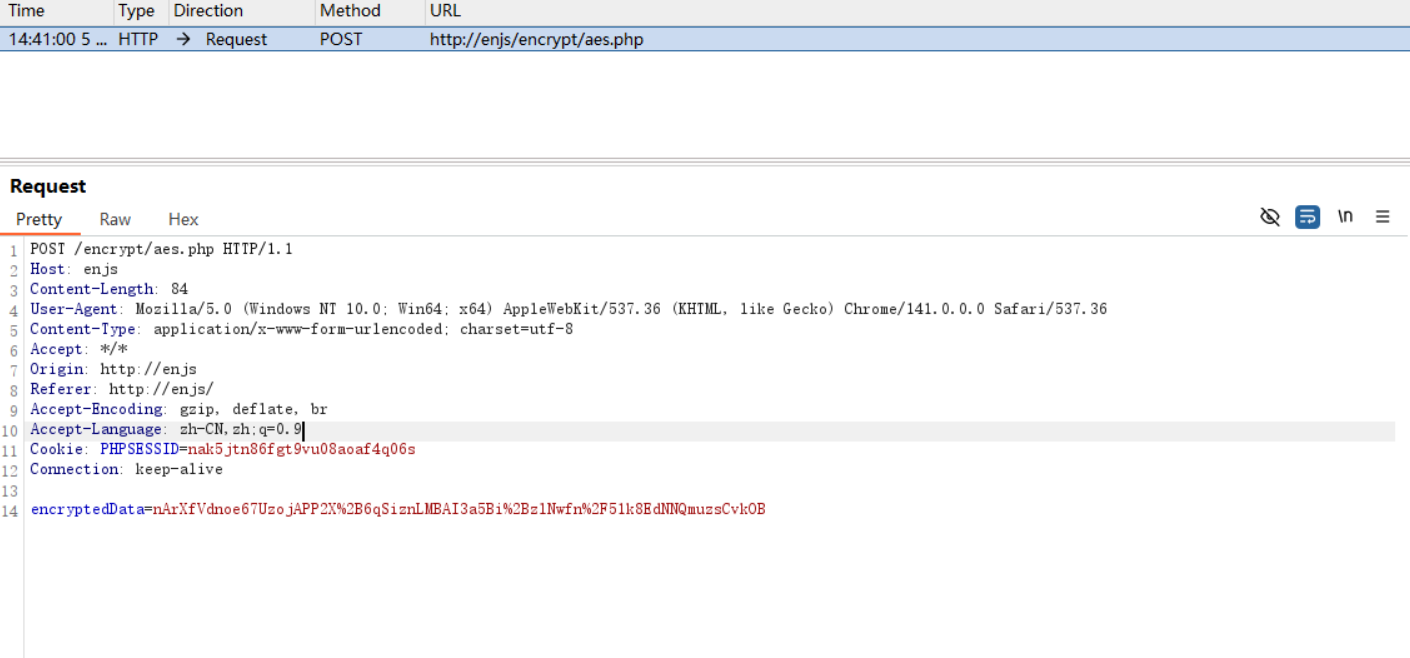
定位其aes代码
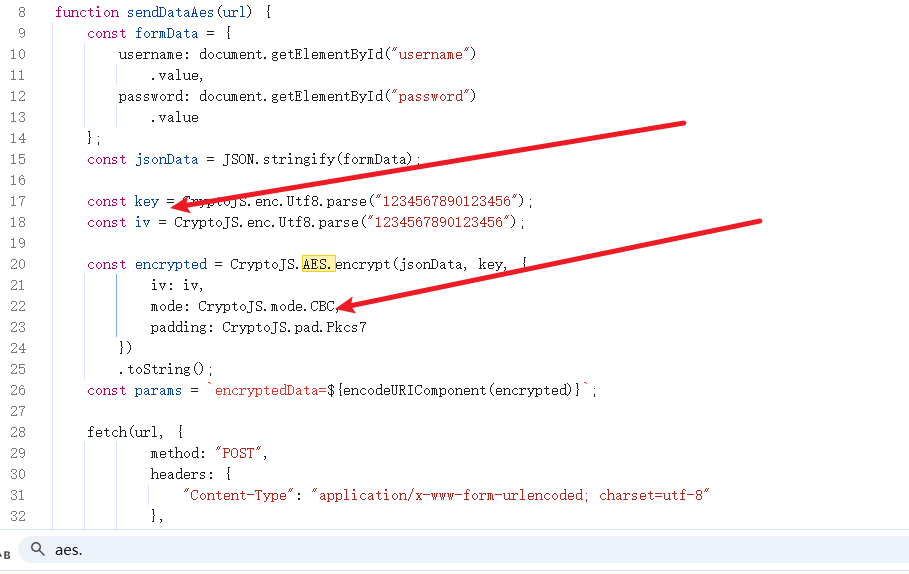
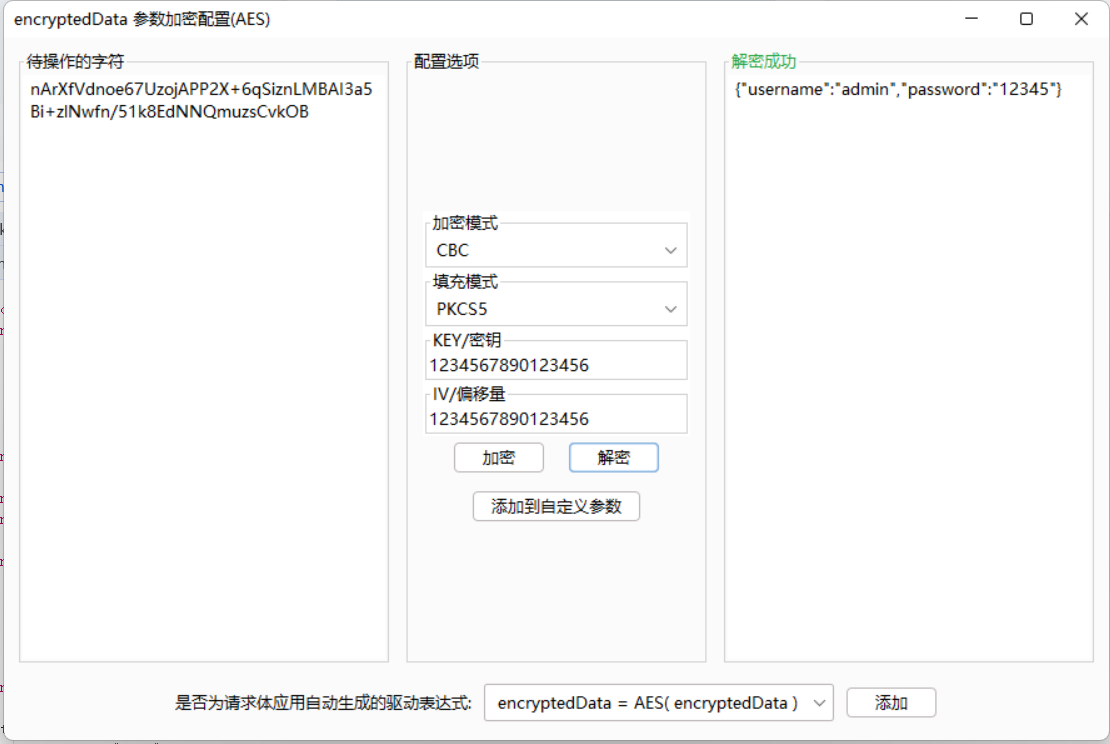
给了key,iv放到插件上解密就好了
AES 服务端获取 Key
会有两个请求的数据包,第一个是返回aes_key,iv。第二个是请求的加密的登录请求
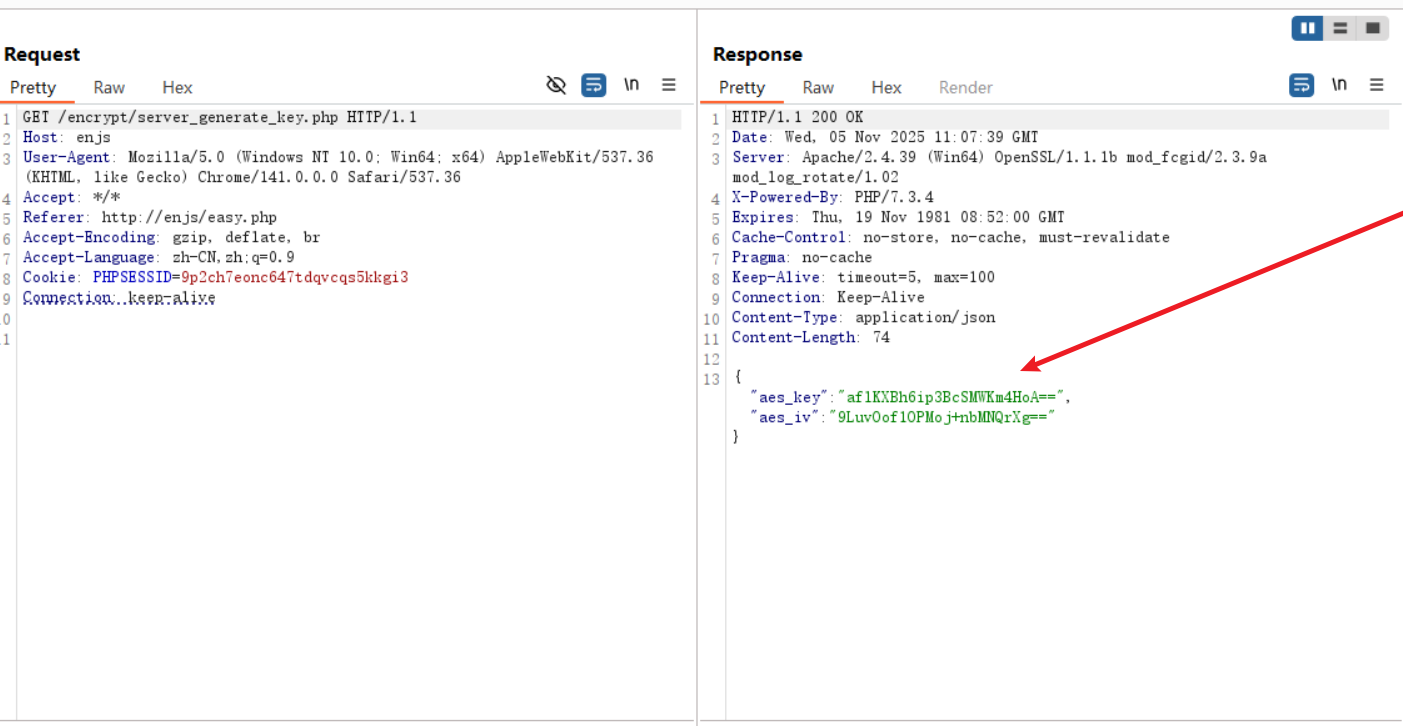
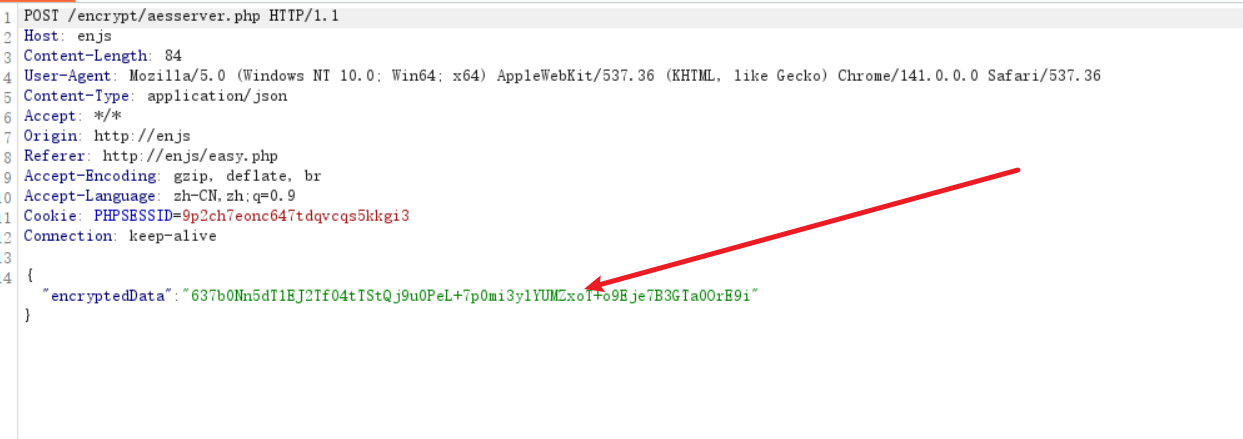
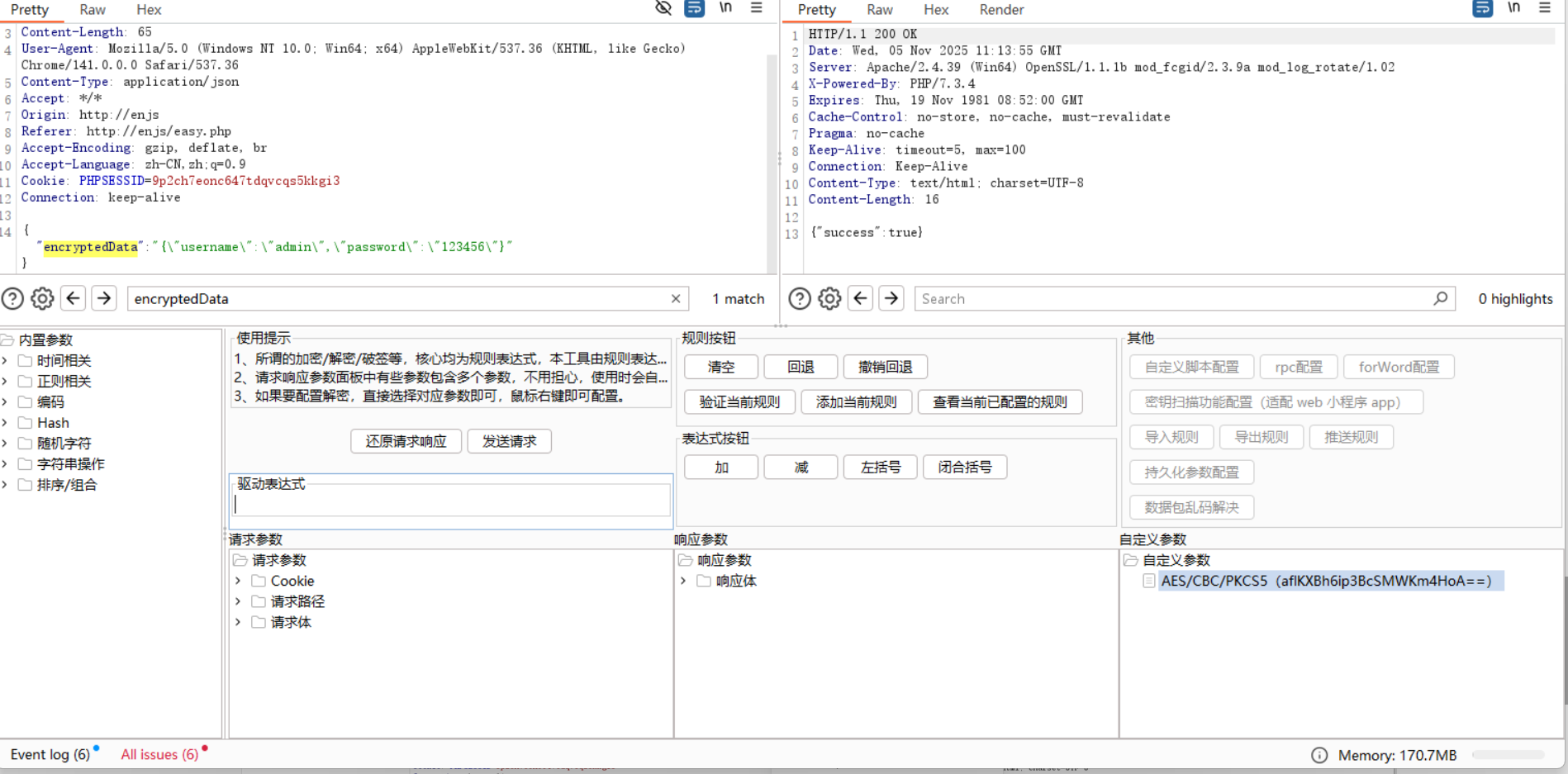
定位到js代码,尝试多请求几次,发现服务端的key,iv没有改变,跟上面意一样解密构造就好了
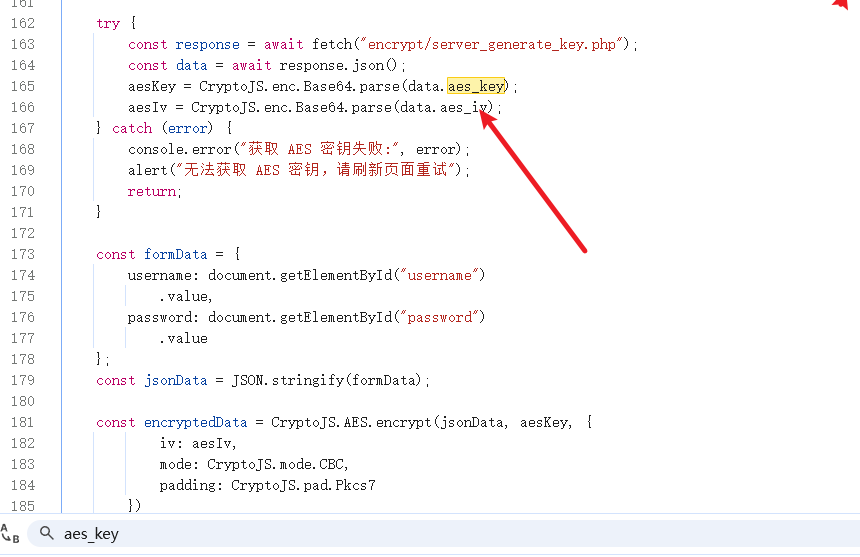
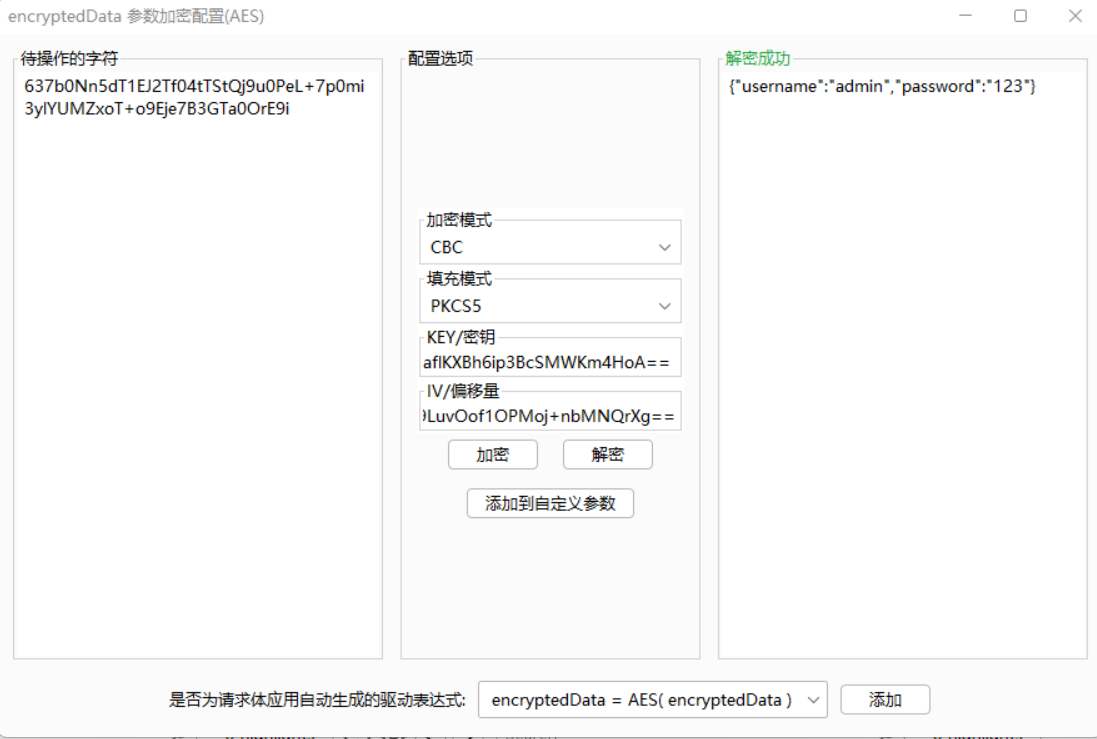
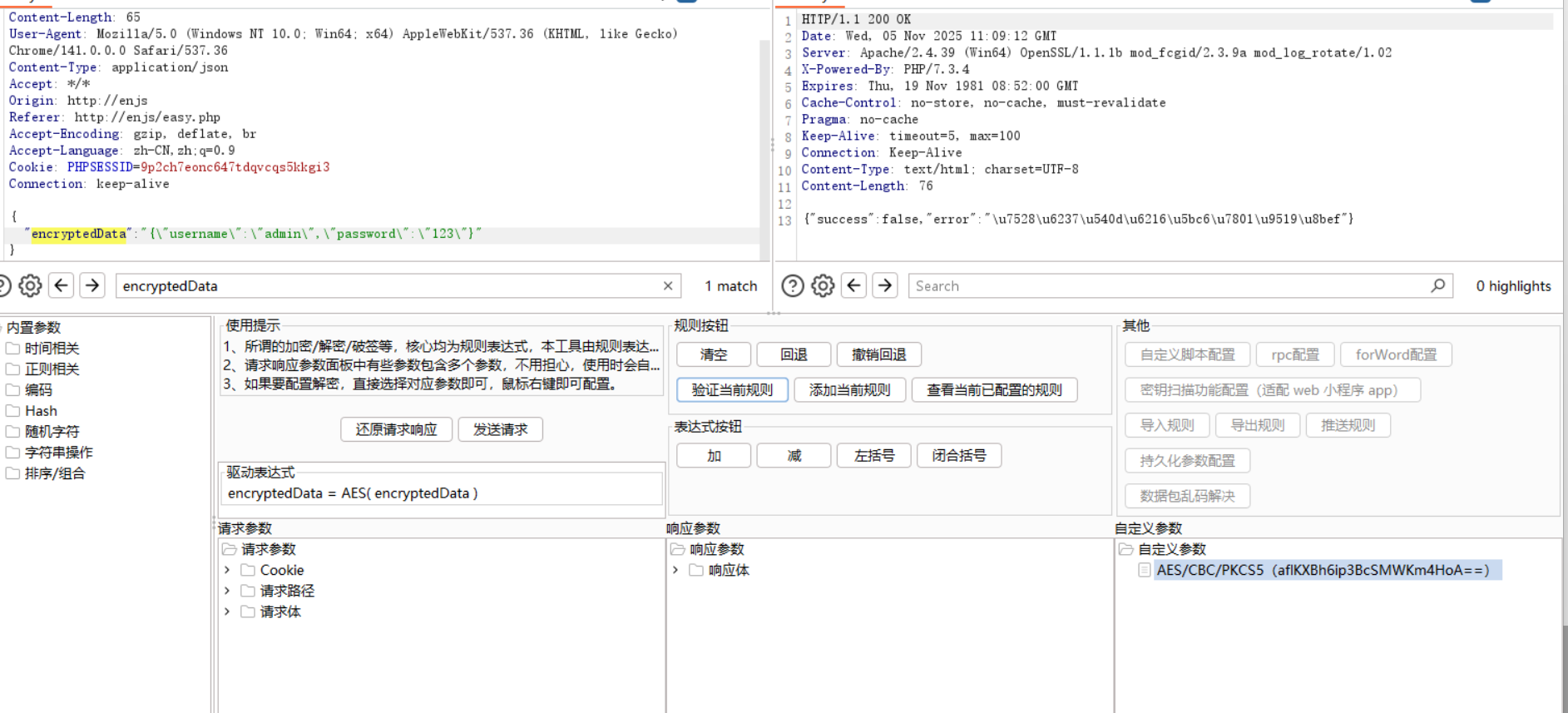
将password改成123456即可显示true
RSA 加密
js代码定位到publickey
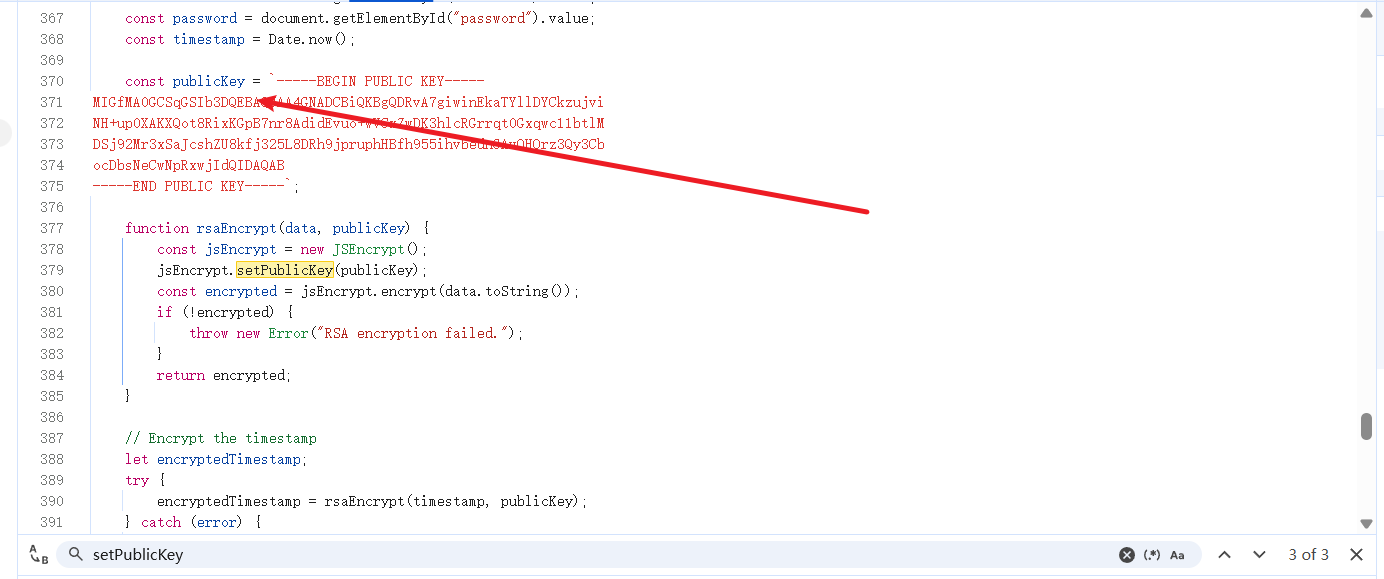
因为只获得了公钥,所以只能加密

拿着公钥去构造{"username":"admin","password":"123456"}的请求数据
实际上只拿到公钥,不知道数据体的结构操作性不大
AES + RSA 加密
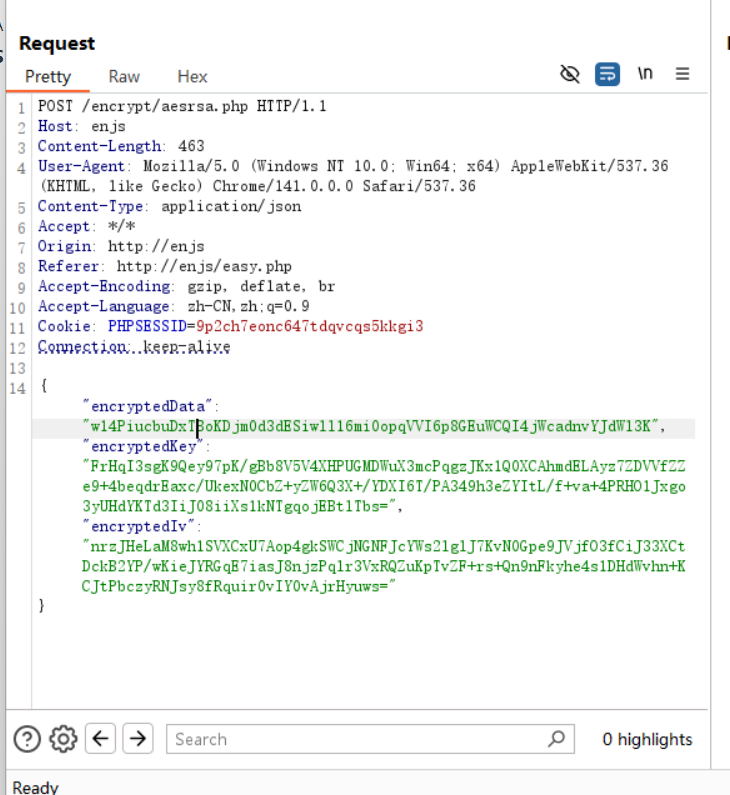
定位到相应的js代码
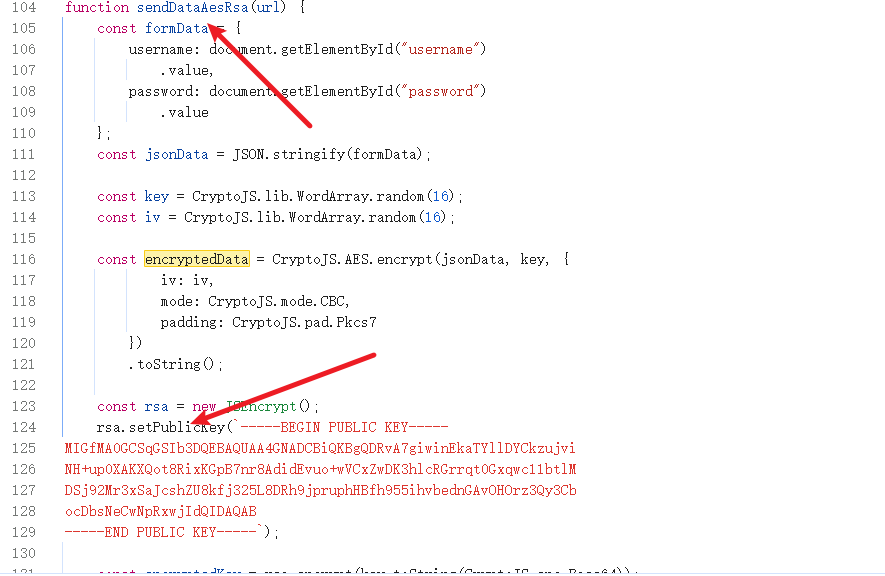
但加密使用的key和iv是16位随机数,得到encryptedData
然后对key和iv进行rsa加密
得到encryptedKey和 encryptedIv将随机 16 位的key和iv进行固定
const key = CryptoJS.enc.Utf8.parse("1234567890123456");
const iv = CryptoJS.enc.Utf8.parse("1234567890123456");
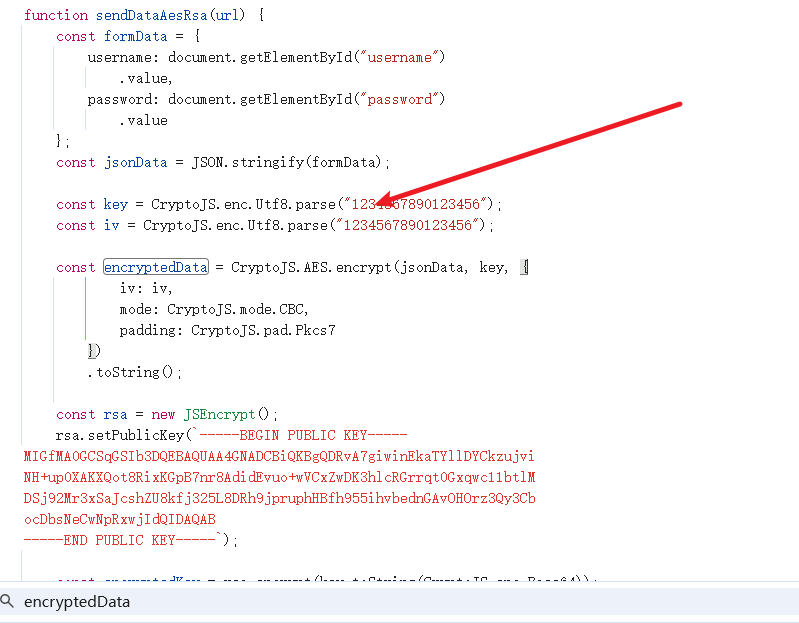
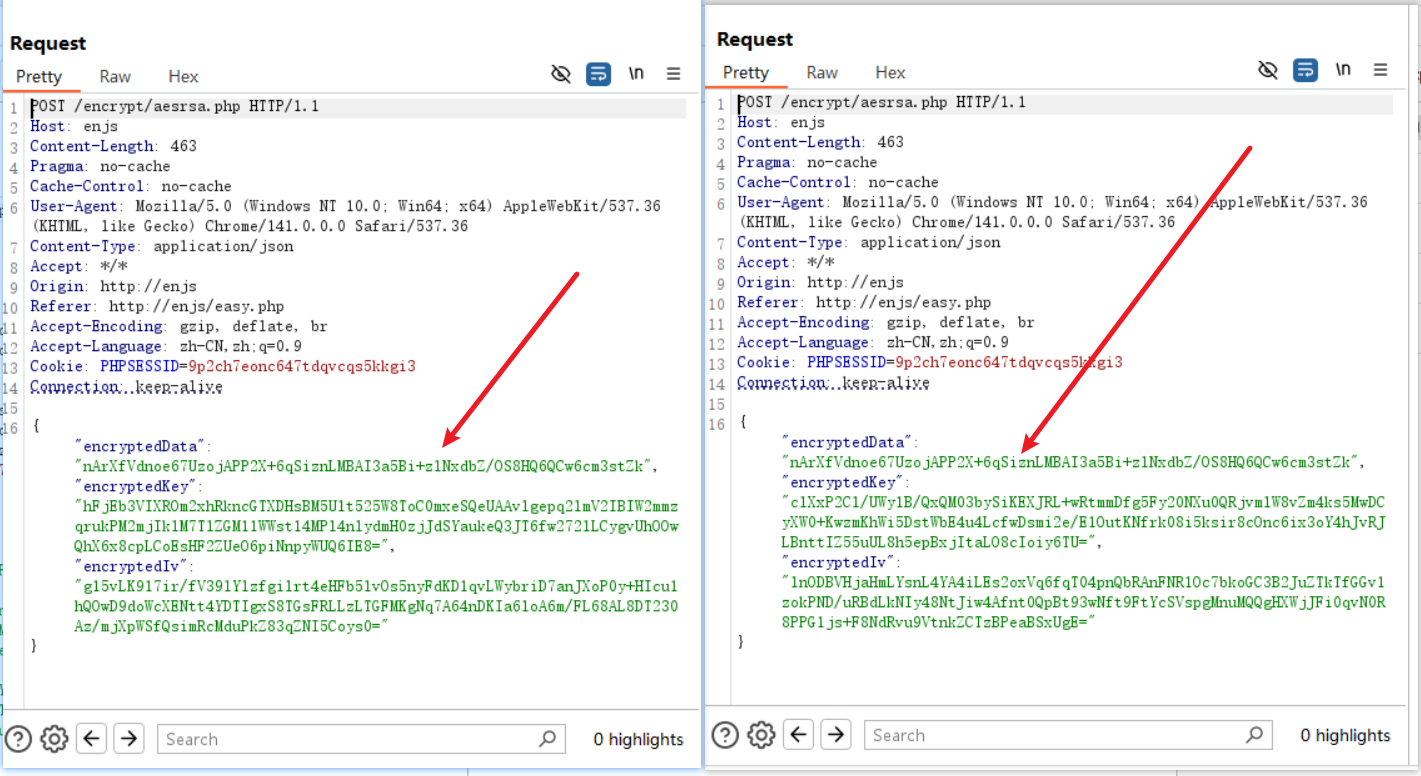
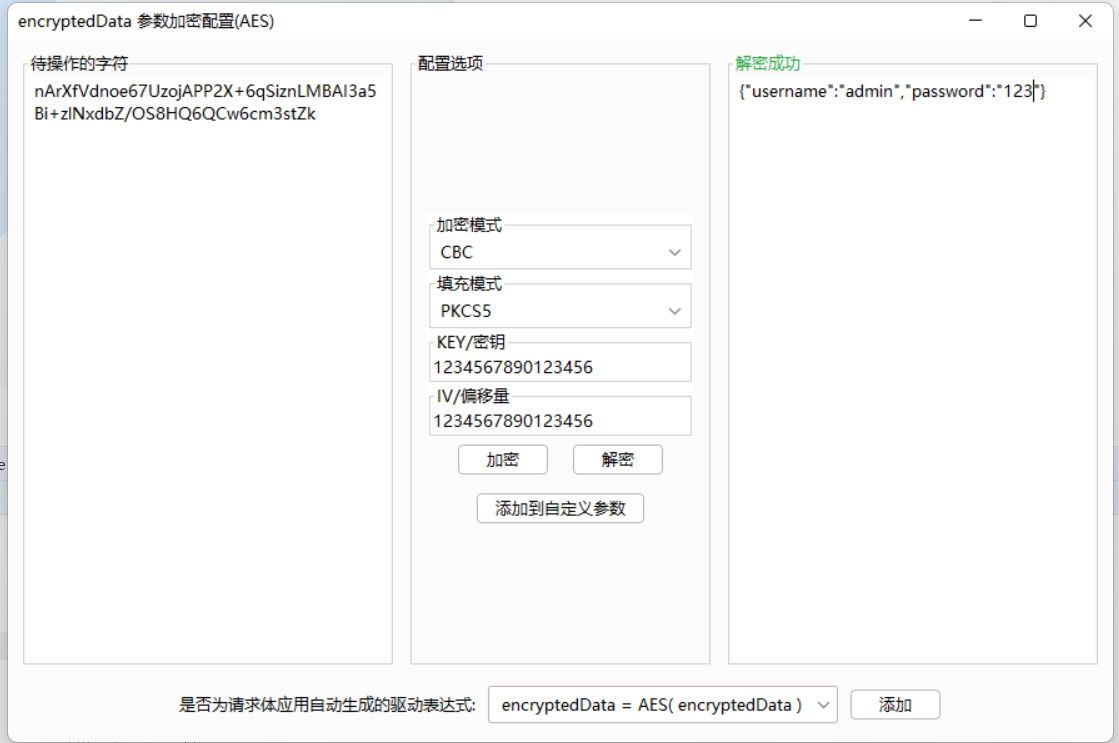
然后重新请求,经过几次登录发现 encryptedData 不会变,但 Key 和 Iv 会改变,说明修改成功了
Des 规律 Key
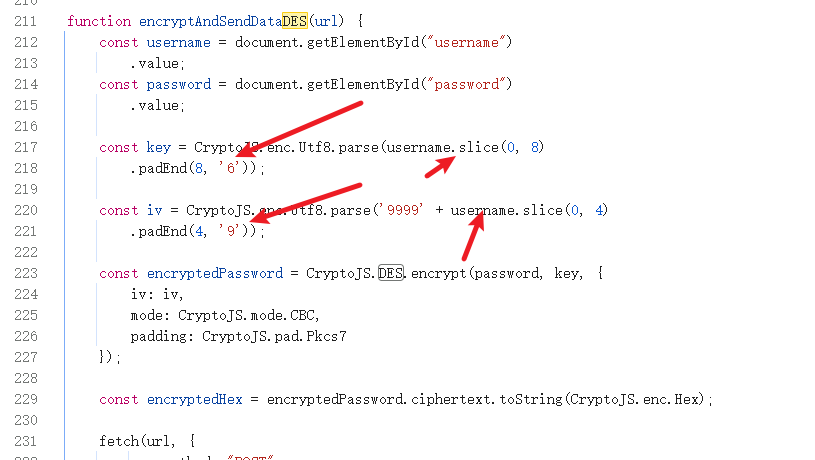
简单的DES加密,key和iv都使用了username的值,key是 8 位,
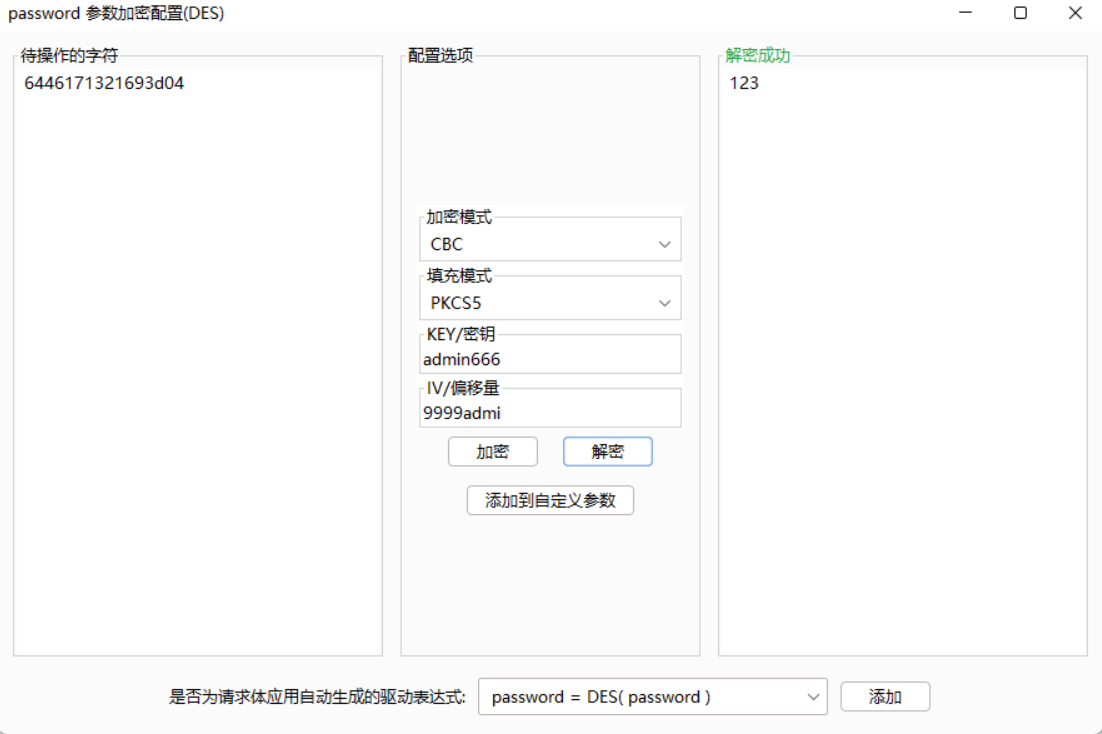
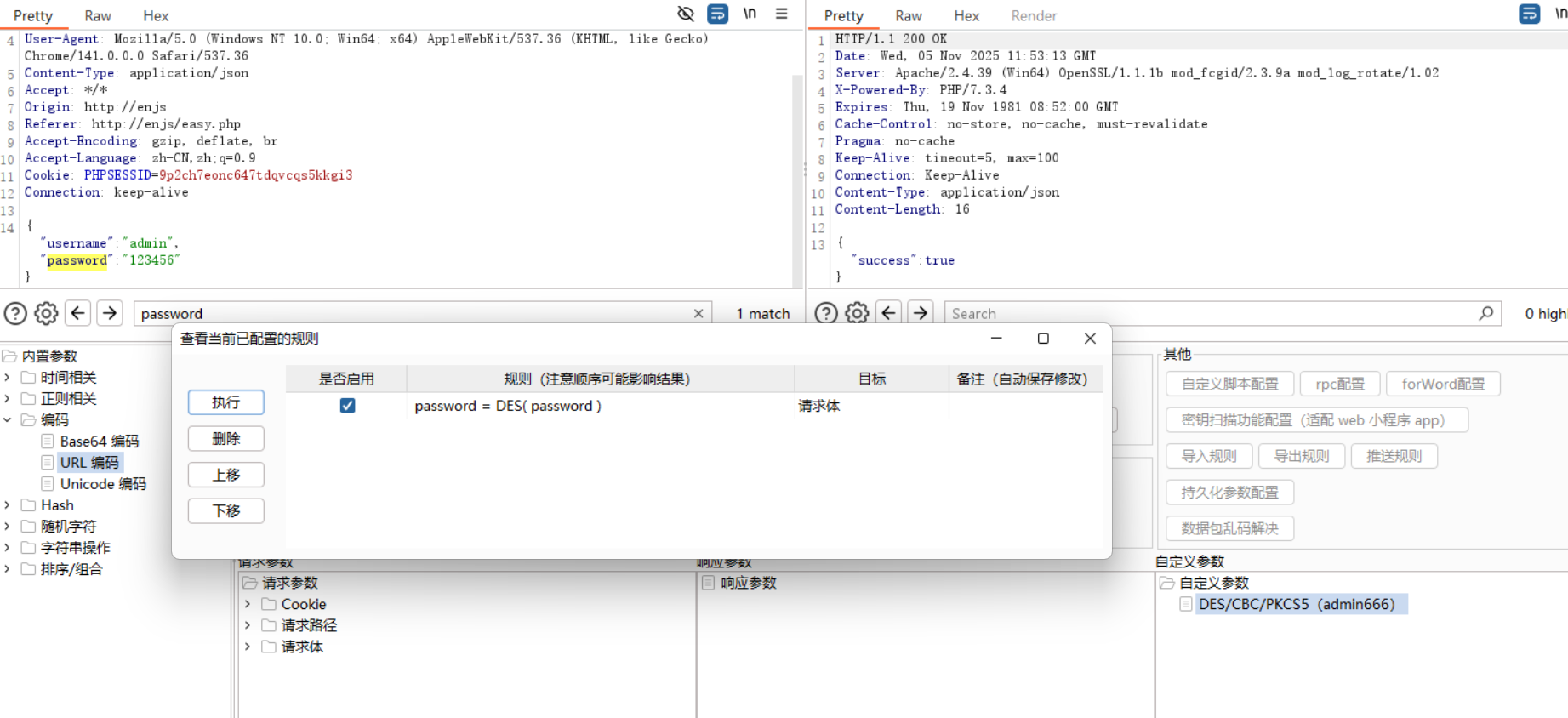
如果username不满 8 位则用 6 补满,iv是 8 位,9999 + username的前四位,输入admi
key:admin666
iv:9999admi
明文加签
function sendDataWithNonce(url) {
	const username = document.getElementById("username")
		.value;
	const password = document.getElementById("password")
		.value;

	const nonce = Math.random()
		.toString(36)
		.substring(2);
	const timestamp = Math.floor(Date.now() / 1000);

	const secretKey = "be56e057f20f883e";

	const dataToSign = username + password + nonce + timestamp;
	const signature = CryptoJS.HmacSHA256(dataToSign, secretKey)
		.toString(CryptoJS.enc.Hex);

	fetch(url, {
			method: "POST",
			headers: {
				"Content-Type": "application/json"
			},
			body: JSON.stringify({
				username: username,
				password: password,
				nonce: nonce,
				timestamp: timestamp,
				signature: signature
			})
		})
		.then(response => response.json())
		.then(data => {
			if (data.success) {
				alert("登录成功");
				window.location.href = "success.html";
			} else {
				alert(data.error || "用户名或密码错误");
			}
		})
		.catch(error => console.error("请求错误:", error));

	closeModal();
}
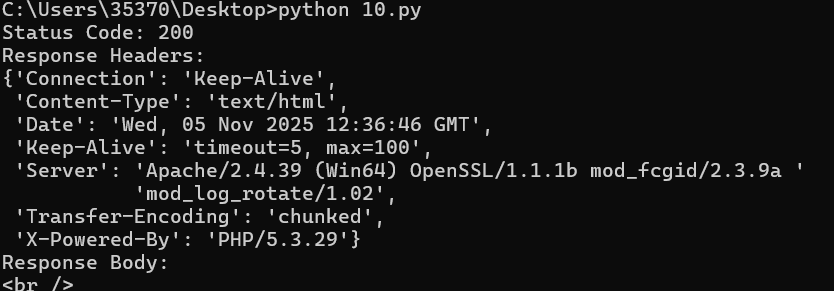
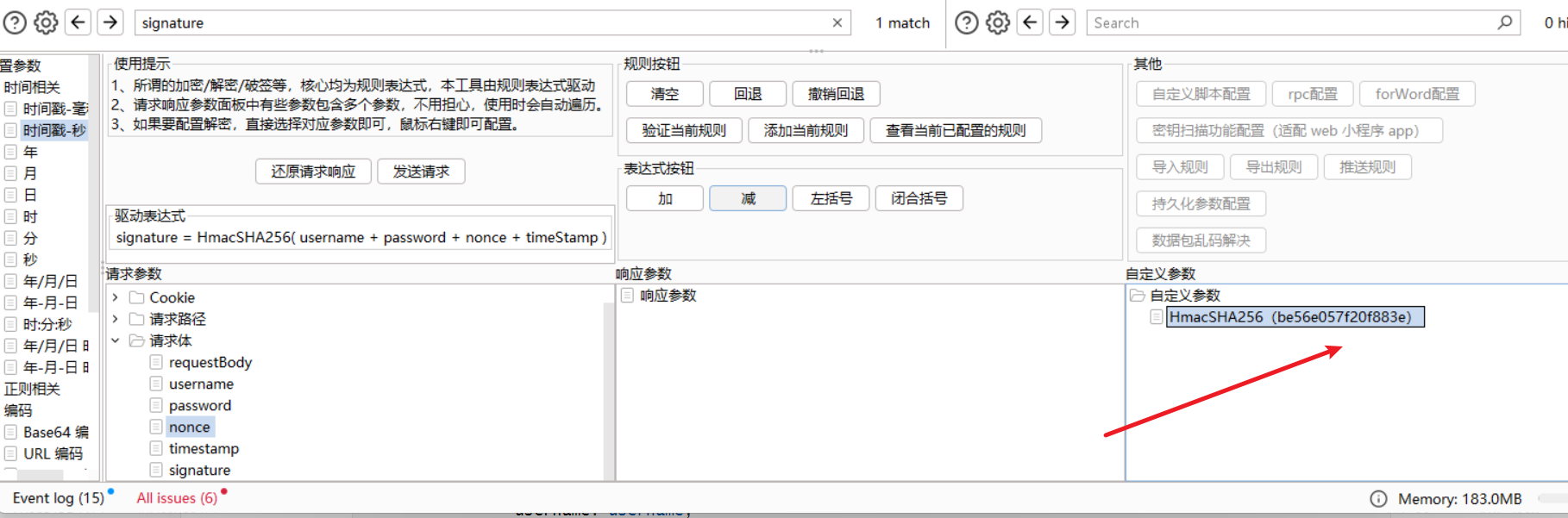
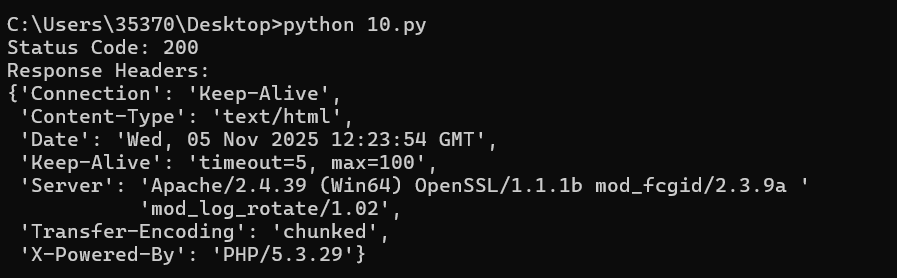
插件bug密钥有英文不行,等1.08就好了吧应该,康康butt3rf1y姐姐的脚本
import time
import hmac
import hashlib
import requests
import random
import pprint

url = "http://127.0.0.1/enjs/encrypt/signdata.php"
secret_key = "be56e057f20f883e"
username = "admin"
password = "123456"


def generate_nonce():
    return ''.join(random.choice('0123456789abcdefghijklmnopqrstuvwxyz') for _ in range(16))


def generate_signature(username, password, nonce, timestamp, key):
    data_to_sign = username + password + nonce + str(timestamp)
    return hmac.new(key.encode('utf-8'), data_to_sign.encode('utf-8'), hashlib.sha256).hexdigest()


def send_signed_request():
    nonce = generate_nonce()
    timestamp = int(time.time())
    signature = generate_signature(username, password, nonce, timestamp, secret_key)

    headers = {
        "Host": "127.0.0.1",
        "User-Agent": "Mozilla/5.0 (Windows NT 10.0; Win64; x64; rv:138.0) Gecko/20100101 Firefox/138.0",
        "Content-Type": "application/json",
        "Accept": "*/*",
        "Origin": "127.0.0.1",
        "Referer": "http://127.0.0.1/enjs/encrypt/signdata.php",
    }

    payload = {
        "username": username,
        "password": password,
        "nonce": nonce,
        "timestamp": timestamp,
        "signature": signature
    }

    response = requests.post(url, json=payload, headers=headers)
    print("Status Code:", response.status_code)
    print("Response Headers:")
    pprint.pprint(dict(response.headers))


if __name__ == "__main__":
    send_signed_request()
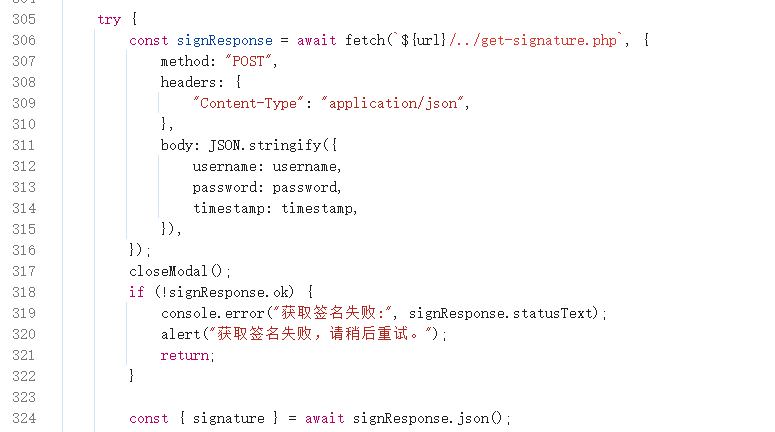
加签 key 在服务端
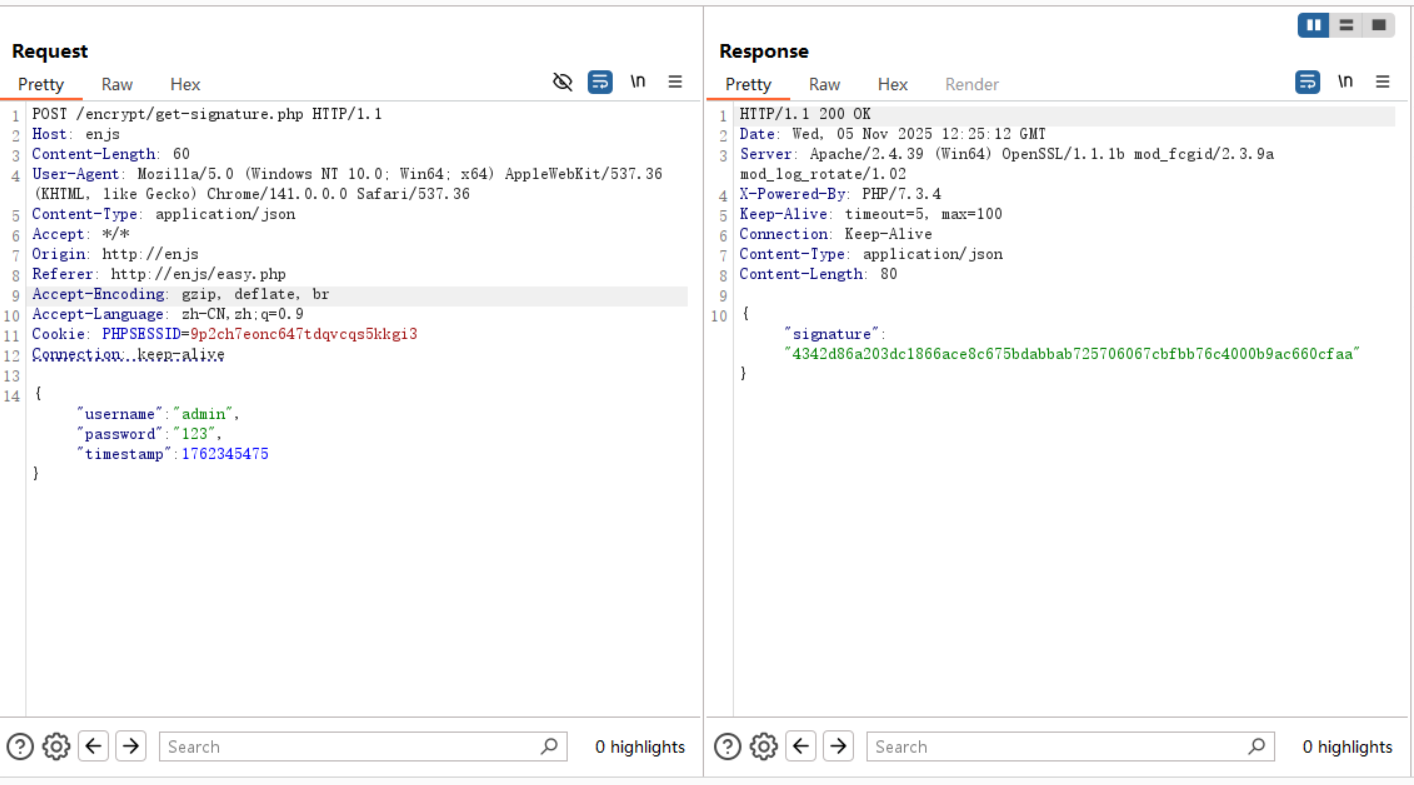
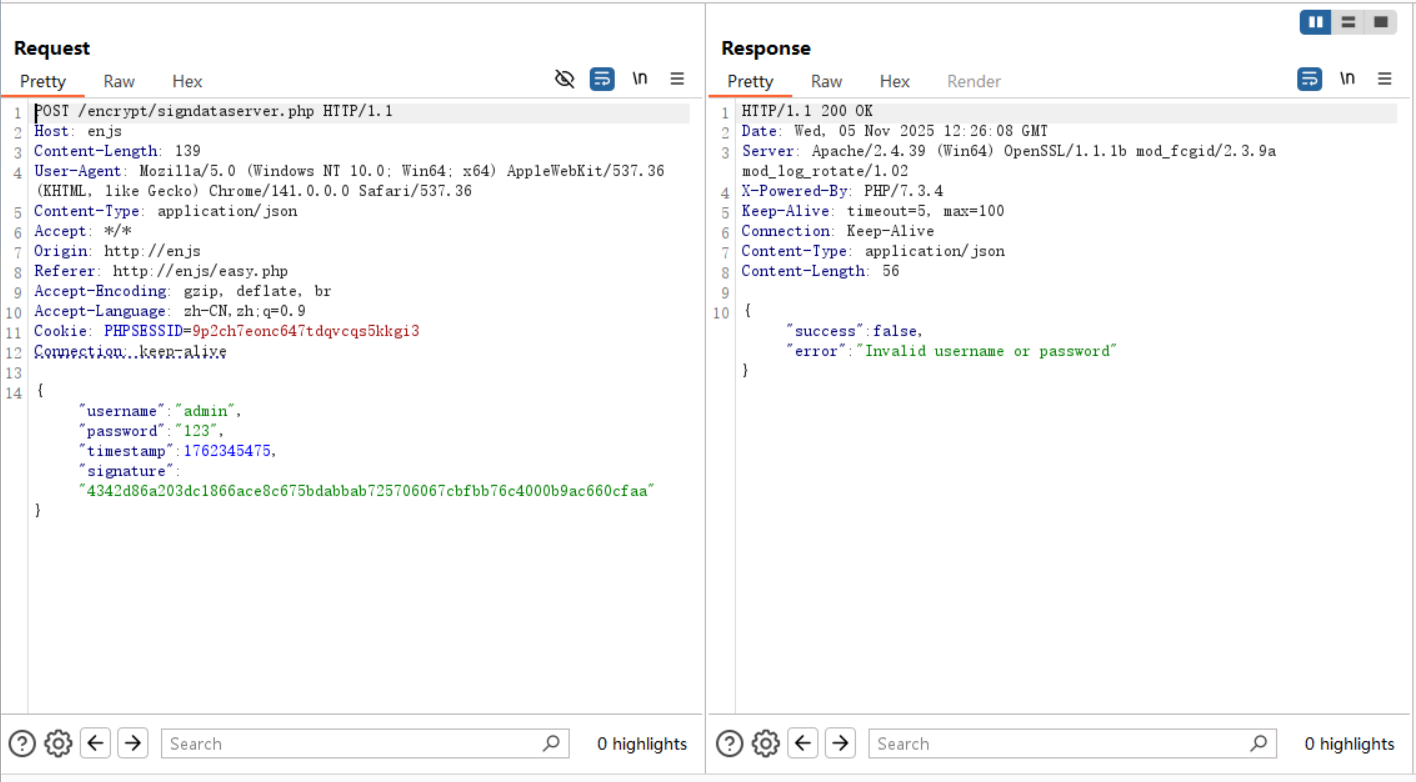
在服务端获取签名之后和username,password,timestamp 进行签名再登录
因为加解密都在服务器端完成所以无法伪造
如果要做密码爆破操作的话,写个脚本,将第一个包获得的sign,再去爆破应该也可以
禁止重放
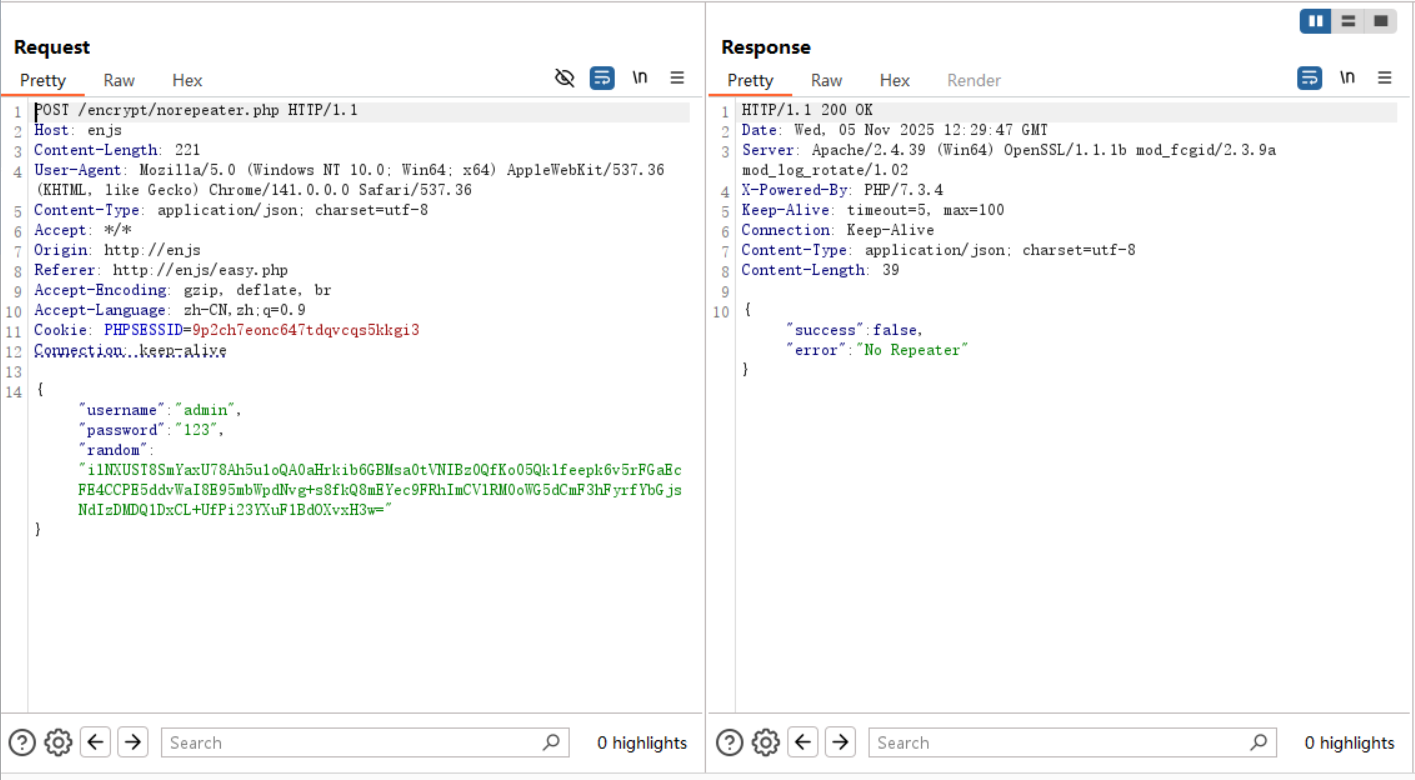
function generateRequestData() {
    const username = document.getElementById("username").value;
    const password = document.getElementById("password").value;
    const timestamp = Date.now();

    const publicKey = `-----BEGIN PUBLIC KEY-----
MIGfMA0GCSqGSIb3DQEBAQUAA4GNADCBiQKBgQDRvA7giwinEkaTYllDYCkzujvi
NH+up0XAKXQot8RixKGpB7nr8AdidEvuo+wVCxZwDK3hlcRGrrqt0Gxqwc11btlM
DSj92Mr3xSaJcshZU8kfj325L8DRh9jpruphHBfh955ihvbednGAvOHOrz3Qy3Cb
ocDbsNeCwNpRxwjIdQIDAQAB
-----END PUBLIC KEY-----`;

    function rsaEncrypt(data, publicKey) {
        const jsEncrypt = new JSEncrypt();
        jsEncrypt.setPublicKey(publicKey);
        const encrypted = jsEncrypt.encrypt(data.toString());
        if (!encrypted) {
            throw new Error("RSA encryption failed.");
        }
        return encrypted;
    }

    // Encrypt the timestamp
    let encryptedTimestamp;
    try {
        encryptedTimestamp = rsaEncrypt(timestamp, publicKey);
    } catch (error) {
        console.error("Encryption error:", error);
        return null;
    }

    const dataToSend = {
        username: username,
        password: password,
        random: encryptedTimestamp // Replace timestamp with encrypted version
    };

    return dataToSend;
}
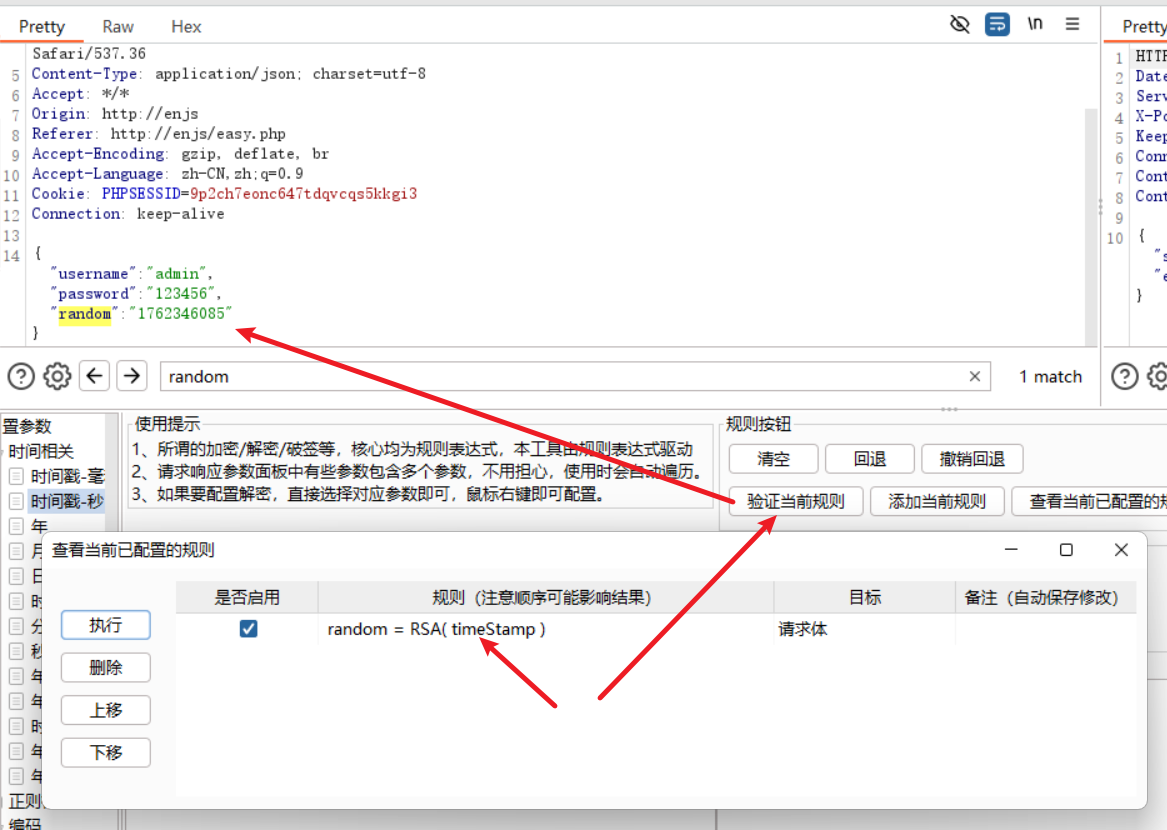
脚本
import time
import json
import requests
from base64 import b64encode
from Crypto.PublicKey import RSA
from Crypto.Cipher import PKCS1_v1_5
import pprint

url = "http://127.0.0.1/enjs/encrypt/norepeater.php"
public_key = """-----BEGIN PUBLIC KEY-----
MIGfMA0GCSqGSIb3DQEBAQUAA4GNADCBiQKBgQDRvA7giwinEkaTYllDYCkzujvi
NH+up0XAKXQot8RixKGpB7nr8AdidEvuo+wVCxZwDK3hlcRGrrqt0Gxqwc11btlM
DSj92Mr3xSaJcshZU8kfj325L8DRh9jpruphHBfh955ihvbednGAvOHOrz3Qy3Cb
ocDbsNeCwNpRxwjIdQIDAQAB
-----END PUBLIC KEY-----"""

def rsa_encrypt(data, public_key):
    key = RSA.import_key(public_key)
    cipher = PKCS1_v1_5.new(key)
    encrypted_data = cipher.encrypt(data.encode('utf-8'))
    return b64encode(encrypted_data).decode('utf-8')

def send_request():
    ts = str(int(time.time() * 1000))
    encrypted_ts = rsa_encrypt(ts, public_key)
    headers = {
        "Host": "127.0.0.1",
        "User-Agent": "Mozilla/5.0 (Windows NT 10.0; Win64; x64; rv:138.0) Gecko/20100101 Firefox/138.0",
        "Content-Type": "application/json",
        "Accept": "*/*",
        "Cookie": "PHPSESSID=snuhsl9mkun6ftjd3481d3g5nd",
        "Origin": "http://127.0.0.1",
        "Referer": "http://127.0.0.1/enjs/encrypt/norepeater.php",
    }

    payload = {
        "username": "admin",
        "password": "123456",
        "random": encrypted_ts
    }
    response = requests.post(url, headers=headers, json=payload)
    print("Status Code:", response.status_code)
    print("Response Headers:")
    pprint.pprint(dict(response.headers))
    print("Response Body:")
    print(response.text)

if __name__ == "__main__":
    send_request()
    time.sleep(5)